B2B
B2B CRM for Demo Requests and Inbound Sales
Turn demo requests and enquiries into a pipeline your team can work for weeks, with a qualified owner, a next step and a quote on every deal.
The short answer
What should a B2B CRM do for a small team?
A B2B CRM for a small team should capture demo requests and enquiries, help qualify them, keep a next step on every deal through a long sales cycle and produce quotes. AliveCRM does this for inbound B2B teams of 2 to 50, without the setup and admin that large CRMs need.
B2B deals take weeks and several conversations. The risk is not losing the first call; it is the deal that goes quiet between the second and third because nobody set the next step.
Where B2B leads come from
- Demo request and contact forms on your website.
- Content downloads and webinar sign-ups.
- Trade shows and industry events.
- Partner and customer referrals.
How It Works
From Demo Request to Closed Deal
A next step on the deal at every stage.
Capture
Demo Requests Straight Into the Pipeline
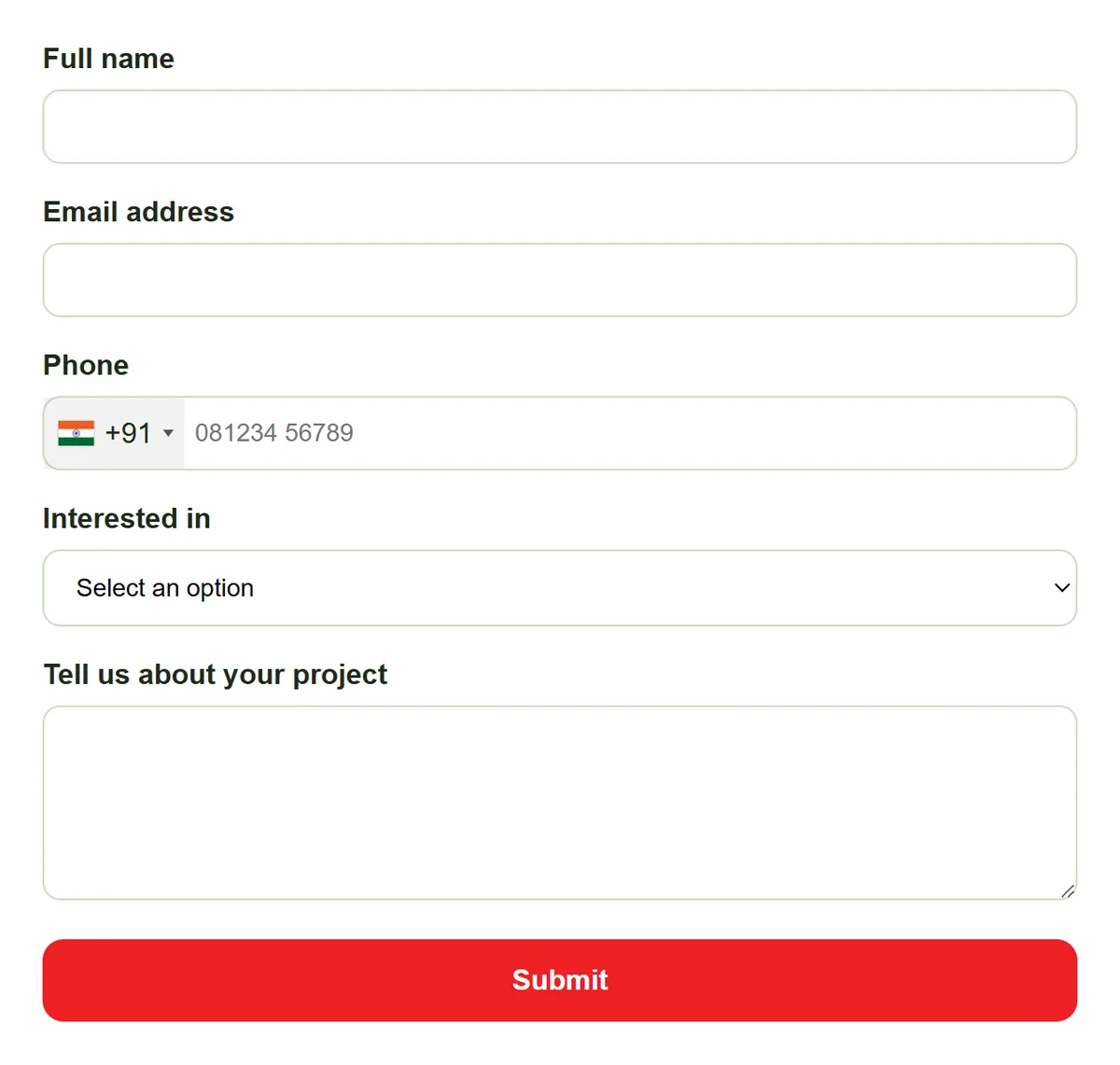
Embed a demo request form with fields for company, position and lead value. Each request arrives as a lead with its source and page, and trade show lists come in by CSV import, so every inbound lead sits in one list.
- Company, position and value fields
- Source and page on every lead
- CSV import for event lists
Qualify
Separate Real Deals From Noise
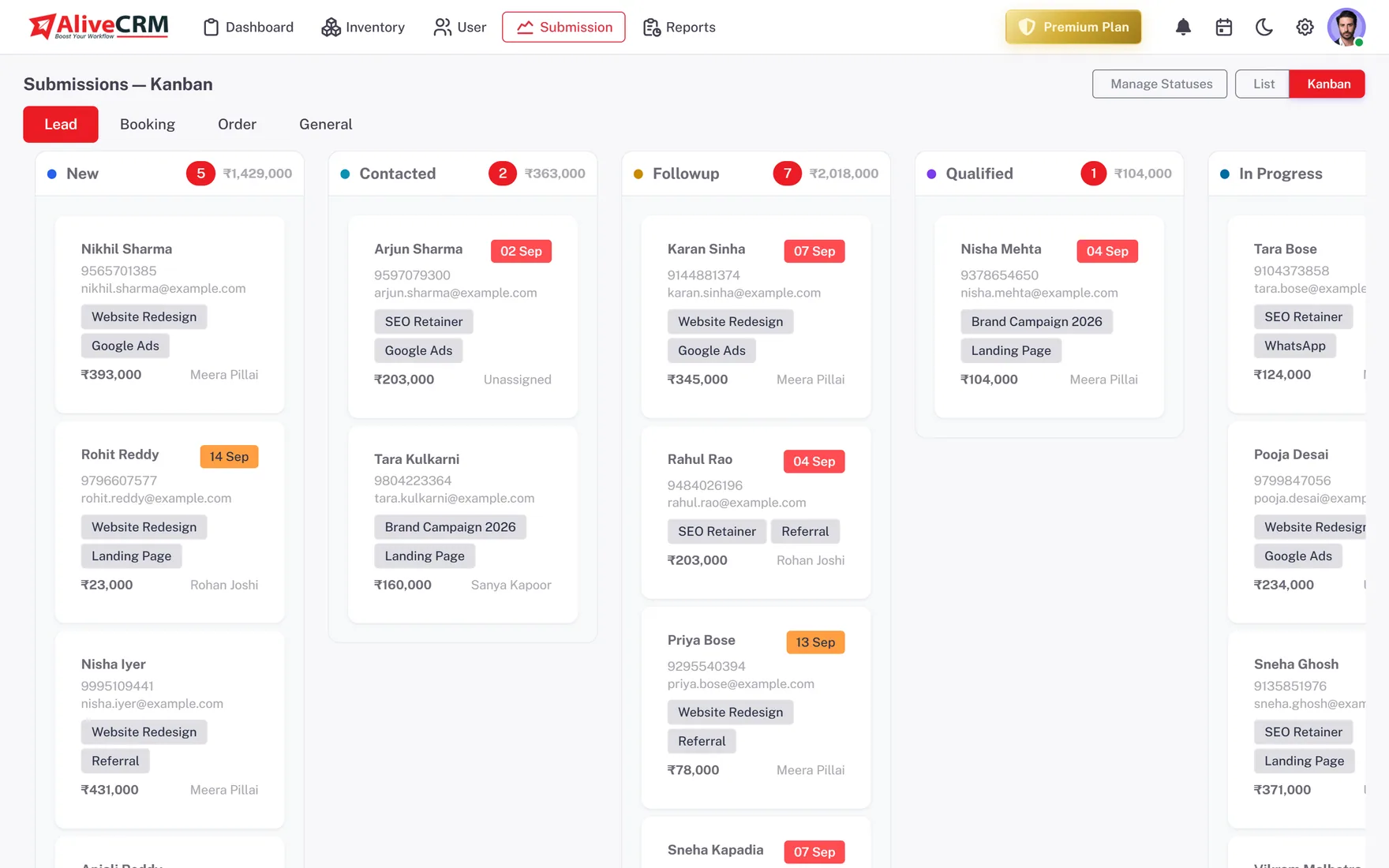
Use statuses that match your qualification steps and categories for company size or industry. Discovery notes stay on the lead, so the person running the demo knows the pain points before the call starts.
- Qualification statuses
- Categories for size or industry
- Discovery notes on the lead
Rahul Sharma
Example Technologies
Momentum
Keep Long Sales Cycles Moving
Set a reminder (Basic and above) for the next step after every call or demo. Overdue reminders are counted on the dashboard, and the status history shows how long each deal has sat in its stage.
- Next step on every deal
- Overdue count on the dashboard
- Time in stage from status history
Rahul Sharma
Example Technologies
Quote
Quote From the Deal and Track Results
On Advance and Premium, build a quotation with line items and tax from the lead, send it as a PDF and convert it into an invoice when the client signs. Sales Rep Performance and the Conversion Funnel show who closes and where deals stall.
- Quotations and invoices on Advance+
- Rep leaderboard
- Stage-to-stage conversion funnel
An example deal
One B2B Deal, Start to Finish
This is an illustration of how a small B2B software or services firm might use AliveCRM, not a customer story.
- Week 1. An operations manager requests a demo. The lead goes to the account executive covering that product.
- Week 1. The discovery call is logged with notes on team size and current tools. Status moves to Qualified, and a reminder is set for the demo.
- Week 2. After the demo, the executive sends a quotation PDF and sets a reminder to follow up in five days.
- Week 3. The client asks for a revised scope. A new quote goes out and the deal moves to Negotiation.
- Week 5. The client signs, the quote becomes an invoice, and the deal moves to Won.
Who It Is For
B2B Teams That Use AliveCRM
B2B software firms
Demo requests from the website, qualified on a call and followed up through a trial or pilot until the contract.
B2B service providers
IT, facilities, logistics and other services sold through proposals, where each deal needs a quote and several calls.
Manufacturers and distributors
Trade enquiries for specific products, routed to the right sales rep and quoted from the lead.
Founder-led B2B sales
The founder still closes deals. One pipeline keeps every conversation and next step out of the inbox.
Honest limits
What AliveCRM Does Not Do for B2B
AliveCRM is built for inbound B2B sales. It has no outbound email sequences, dialer, account-based marketing, contract e-signature or Salesforce or HubSpot sync. Each lead is a person, not a separate company and contacts structure, which suits small deal volumes but not complex multi-contact enterprise selling.
Keep Every B2B Deal Moving
Start a 7-day free trial and put your demo request form live.
FAQ
Frequently Asked Questions
It suits small B2B teams that sell mainly to inbound leads: demo requests, enquiries and referrals. It covers capture, qualification, follow-up, quotes and reports. It is less suited to large outbound teams or complex enterprise deals with many contacts per account.
Each lead in AliveCRM is one person with their company recorded. For a deal with several contacts, keep the main contact as the lead and record the others in notes. There is no separate company and contacts structure, which keeps things simple for small deal volumes.
No. There is no sync with Salesforce, HubSpot or other CRMs, and no Zapier connection or public API today. Teams moving from another CRM export their leads as a CSV file and import them into AliveCRM, up to 2,000 rows per file.
Yes. On the Advance and Premium plans, the Conversion Funnel shows drop-off between stages, based on real status-change history. The status history on each lead also shows how long it sat in each stage, so you can spot deals that need a push.