Feature
Lead Assignment That Leaves No Lead Unowned
Every lead gets one named owner. Assign by hand or by rule, reassign when plans change, and always see who is responsible.
The short answer
How does lead assignment work in AliveCRM?
Lead assignment in AliveCRM gives every lead one accountable owner. New leads get an owner on arrival, either from an auto-assignment rule or by going to the company admin. Anyone with permission can assign or reassign a lead by hand, and the new owner is notified in-app straight away.
A lead without an owner is a lead nobody follows up. Assignment is the step that turns a submission into a named person's job. This page covers ownership and manual assignment; the automatic rules have their own page.
When manual assignment matters
- A rep is on leave and their open leads need cover.
- A deal needs a specialist or a senior person.
- A territory or product line changes hands.
- A lead came in by phone and was added by hand.
How It Works
From New Lead to Named Owner
Ownership is set on arrival and can change at any time.
Ownership
One Accountable Owner per Lead
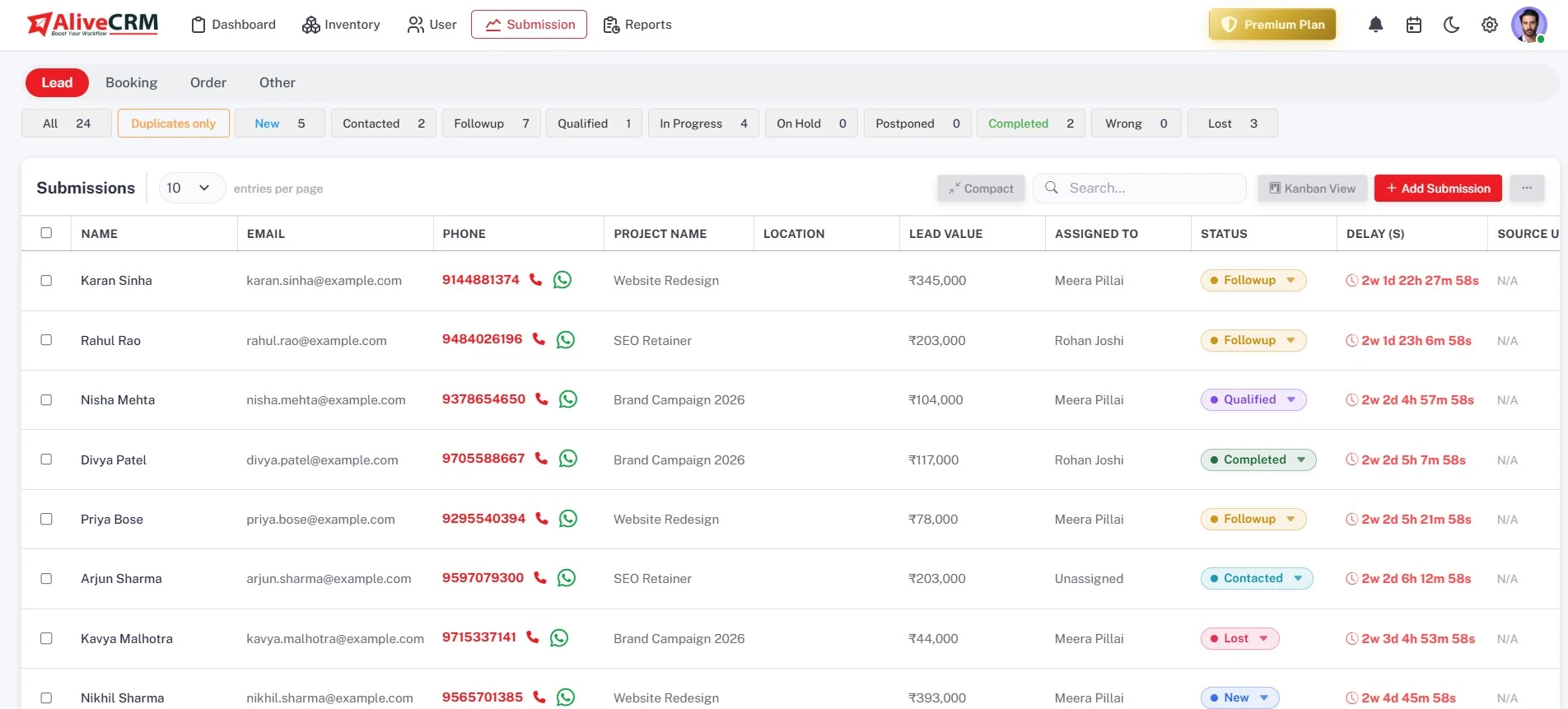
Your company account holds your team, and every lead is assigned to one user who is responsible for it. The owner shows on the lead and in the list, and you can filter the list by assigned user to see each person's workload.
- One owner per lead
- Owner shown in the list
- Filter by assigned user
Manual
Assign and Reassign by Hand
Move a lead to another owner when someone is out, a territory changes or a deal needs a specialist. Manual assignment works one lead at a time, the new owner gets an in-app notification, and the notes and status history stay with the lead.
- Reassign any lead at any time
- New owner notified in-app
- Notes and history stay on the lead
Rahul Sharma
Example Technologies
Rules
Or Let a Rule Pick the Owner
On the Basic plan and above, set an auto-assignment rule per submission type: round-robin, least busy, balanced, random, a fixed user, or off. A product, project or service can have its own team, which is tried first. Without rules, new leads go to the company admin.
- Six options per submission type
- Item team tried first
- Admin fallback when off
Rahul Sharma
Example Technologies
Access
Roles Decide Who Can Assign
Custom roles set view, create, edit, delete and manage permissions per module, so you decide who can assign leads and who only works their own. The "self only" option limits a user to the leads assigned to them.
- Custom roles per module
- "Self only" lead visibility
- Admins see every lead
Rahul Sharma
Example Technologies
Who It Is For
Who Needs Clear Lead Ownership
Teams sharing an inbox
Replace "did anyone reply to this?" with a name on every lead and a notification the moment it is assigned.
Teams with leave and shifts
Reassign an absent rep's open leads to cover, then hand them back, with every note still on the record.
Businesses with specialists
Hand complex enquiries to the person who knows the product, while routine ones stay with the general team.
Owners protecting customer data
Use roles and "self only" visibility so reps see the leads they own, not the whole customer list.
Honest limits
What Assignment Does Not Do
Manual assignment works one lead at a time; there is no bulk reassign. A lead has one owner, not a shared team owner. If a fixed-user rule points at someone who is deactivated, AliveCRM falls back to round-robin across the pool rather than leaving the lead unassigned.
FAQ
Frequently Asked Questions
Not at the moment. Manual assignment is done one lead at a time. For steady volume, an auto-assignment rule on the Basic plan and above shares new leads automatically, so most teams only assign by hand when covering absences or passing a deal to a specialist.
Deactivate the user and reassign their open leads to the rest of the team. Their notes and status history stay on each lead. If an auto-assignment rule pointed at that user as a fixed owner, it falls back to round-robin across the pool, so new leads keep flowing.
Yes. Attach a team to each product, service or project in your inventory. Leads about that item are assigned from its team first when auto-assignment is on. With rules off, they go to the company admin, who can assign them by hand.
They get an in-app notification as soon as a lead is assigned to them, whether by a rule or by hand. The lead also appears in their filtered list. On the Basic plan and above, admins can receive an email for every new form lead as well.
Only if their role allows it. Roles set view, create, edit, delete and manage permissions per module, so you can let senior reps reassign while others only work their own list. Admins can always assign and reassign any lead, whatever the rest of the team is allowed to do.