Lead Follow-Up
Lead Follow-Up Software So No Lead Goes Quiet
AliveCRM puts a next step on every lead, reminds the owner when it is due and shows you which follow-ups are overdue, before the customer moves on.
The short answer
What is lead follow-up software?
Lead follow-up software makes sure every lead has a next step and that someone takes it on time. It stores a reminder on each lead, notifies the owner when it is due and logs each contact. AliveCRM adds an overdue count on the dashboard, so missed follow-ups are visible the same day.
Most lost leads are not rejected. They simply stop hearing from you. A buyer who enquired on Monday and heard nothing by Thursday has usually found another supplier, even if you had the better offer.
Why follow-ups get missed
- The next step was agreed on a call but never written down.
- Reminders live in personal calendars nobody else can see.
- The owner is on leave and nobody picks up their leads.
- Nobody can tell which leads were contacted and which were not.
How It Works
The Follow-Up Loop in AliveCRM
Repeat until the lead is won or closed as lost.
Remind
A Reminder on Every Lead
Set a date, time and note for the next step on any lead (Basic plan and above). Choose whether the assigned user, you, or both get notified. In-app notifications are on every paid plan, and SMS reminders are added on Advance and Premium.
- Date, time and note per lead
- Notify the owner, you or both
- SMS on Advance and Premium
Rahul Sharma
Example Technologies
Contact
Call or WhatsApp From the Lead
Tap the phone button on a lead, or the WhatsApp button on Advance and Premium, to open the conversation on your device. Each tap is saved to the lead's Contact History, and the last contact time only changes when a real contact happens.
- Tap-to-call, WhatsApp on Advance+
- Contact History log
- Honest last contact time
Rahul Sharma
Example Technologies
Context
Notes That Stay With the Lead
Write what was said and what was promised on the lead itself, with visibility control on each note. When someone else picks up the lead, they read the history instead of calling the customer to ask the same questions again.
- Notes with visibility control
- Status history with who and when
- Easy hand-over between reps
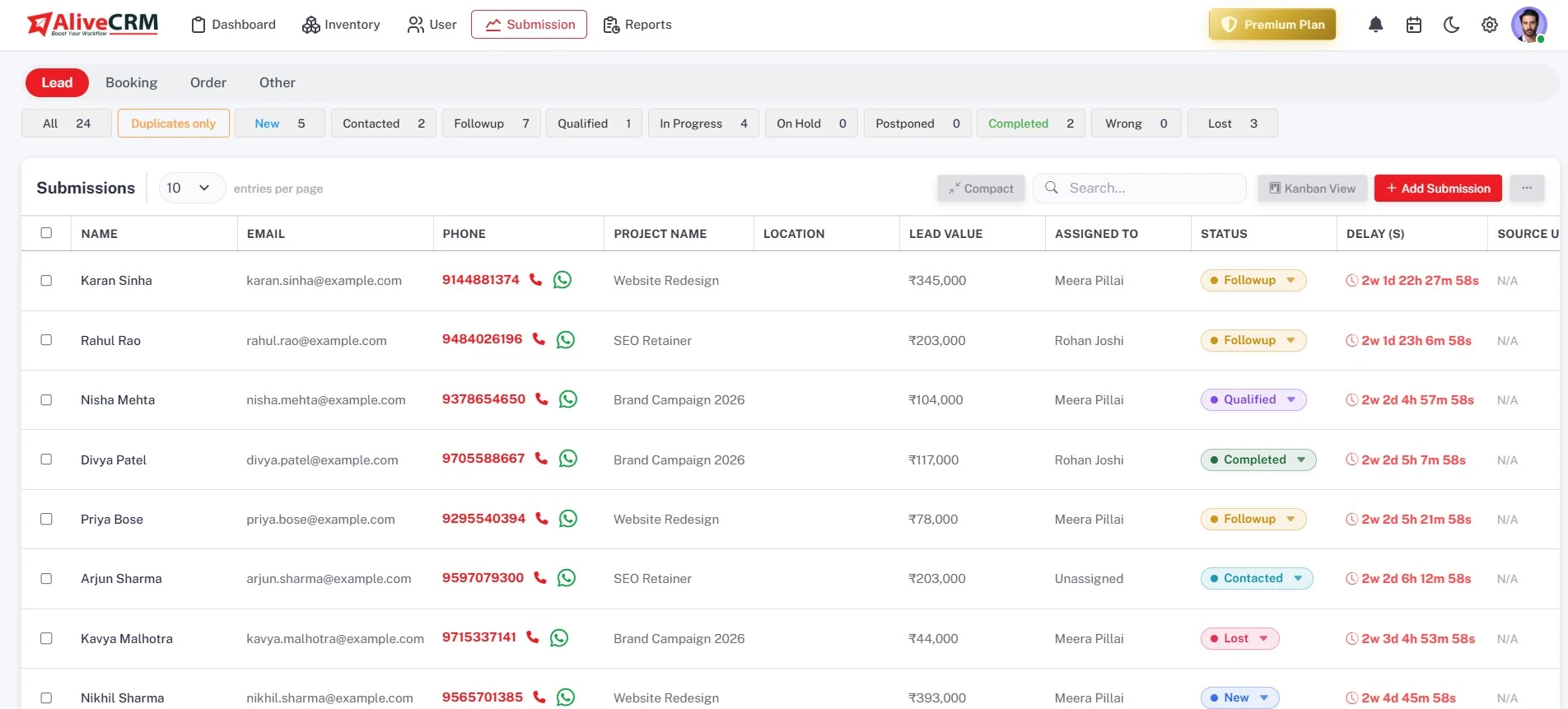
Overdue
Catch Missed Follow-Ups Early
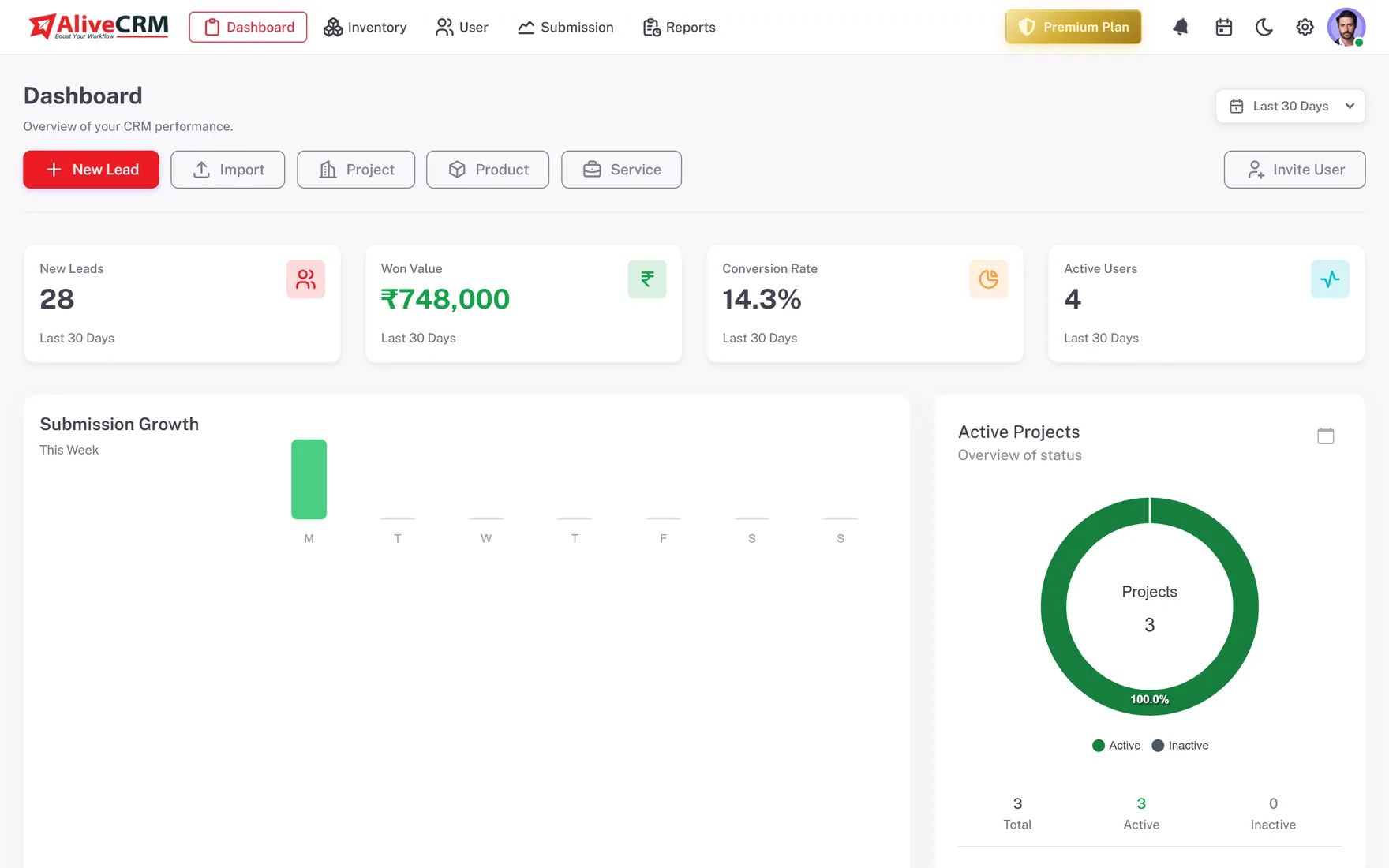
The dashboard counts overdue reminders across the team. On Advance and Premium, the Follow-up Compliance report shows reminders set and met per user, and the Sales Rep Performance report shows average response time.
- Overdue count on the dashboard
- Follow-up Compliance report
- Average response per rep
Who It Is For
Who Needs Lead Follow-Up Software
Real estate agents
Buyers compare several projects. Follow up after every site visit while yours is still the one they remember.
Admission counsellors
Students and parents decide within days. Make sure every enquiry gets a call back before another institute does.
Service businesses
Quotes go cold fast. A reminder two days after sending a quote turns more of them into booked jobs.
Sales managers
See overdue follow-ups across the team every morning, without asking each rep for an update.
Honest limits
What AliveCRM Does Not Do
AliveCRM reminds people to follow up; it does not follow up for them. It does not send automatic email sequences or bulk WhatsApp messages, and it has no built-in dialer. Each lead holds one active reminder at a time, which keeps the next step clear but means multi-step cadences live in your team's routine.
Never Lose a Lead to Silence Again
Start free, add your leads and set the next step on each one.
FAQ
Frequently Asked Questions
Reply to new leads within the hour if you can, set the next step before you end each conversation, and write down what was promised. Agree as a team how many attempts to make before closing a lead as lost. AliveCRM holds the reminder, the notes and the history on each lead.
No. AliveCRM reminds the lead owner to follow up and logs the call or WhatsApp tap when they do, but it does not send messages or emails on its own. Many small teams prefer this, because buyers can tell an automated message from a personal one.
Reminders are on the Basic plan and above, with in-app notifications. The Advance and Premium plans add SMS reminders and the Follow-up Compliance report. The Free plan keeps notes and status history on every lead, so you can still record what happened.
Yes, on the Advance and Premium plans. Tap the WhatsApp button on a lead to open a chat with that number on your own device. The tap is logged in the lead's Contact History. AliveCRM does not send WhatsApp messages through the WhatsApp Business API or run broadcasts.
One active reminder per lead, with a date, time and note. When you finish a step, set the next reminder before you move on. Keeping one reminder per lead makes the next action obvious to anyone who opens the lead, and keeps the overdue count on the dashboard accurate.