Website Leads
Website Lead Management Without the Inbox Chaos
Your website already brings enquiries. AliveCRM makes sure each one gets an owner, a reply and a follow-up, and shows which pages bring the best leads.
The short answer
What is website lead management?
Website lead management is how a business handles enquiries that arrive through its site, from the moment someone submits a form to the moment they buy or say no. It covers capture, routing, first reply, follow-up and reporting. AliveCRM runs all five on one lead record.
The weak point is almost always the first hour. A form emails a shared inbox, everyone assumes someone else replied, and the lead cools. Fixing that takes three things: instant capture, a named owner and a reminder.
Common website lead problems
- Enquiries buried in a shared inbox.
- No record of which page or form a lead used.
- Nobody owns the reply, so nobody sends it.
- No way to see which pages bring buyers and which bring time-wasters.
How It Works
Website Lead Management in Four Steps
What happens after a visitor presses Submit.
Capture
Capture Enquiries From Every Page
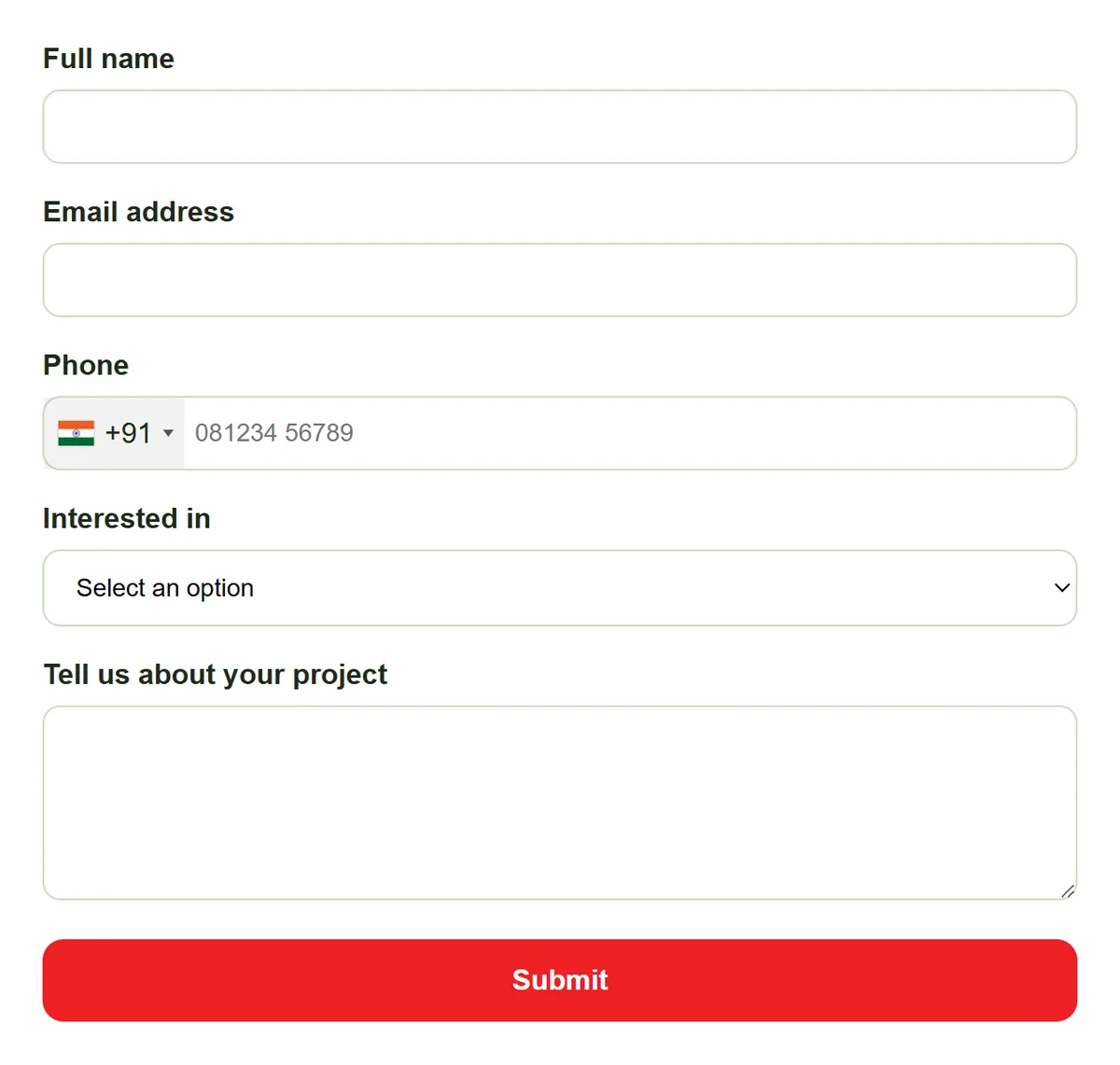
Put a form on your contact, pricing, product and landing pages with one script tag, Google Tag Manager or WordPress. Each submission is saved as a lead the moment it is sent, with its form and page recorded.
- Forms on any page of your site
- Saved as a lead instantly
- Form and page URL recorded
Route
Route Each Enquiry to the Right Person
Auto-assignment rules (Basic plan and above) send each submission type to a pool of reps by round-robin, least busy, balanced, random or a fixed owner. Category routing can send, for example, a service enquiry straight to the service team.
- Rules per submission type
- Pools built from each item's team
- Category routing
Rahul Sharma
Example Technologies
Reply
Reply Fast and Keep a Record
Each lead shows a delay timer from the moment it arrived. Tap to call, or WhatsApp on Advance and Premium, and the contact is logged in Contact History. The last contact time only changes when a real contact happens, so the timer stays honest.
- Delay timer on every lead
- Tap-to-call, WhatsApp on Advance+
- Contact History log
Rahul Sharma
Example Technologies
Report
See Which Pages Bring Buyers
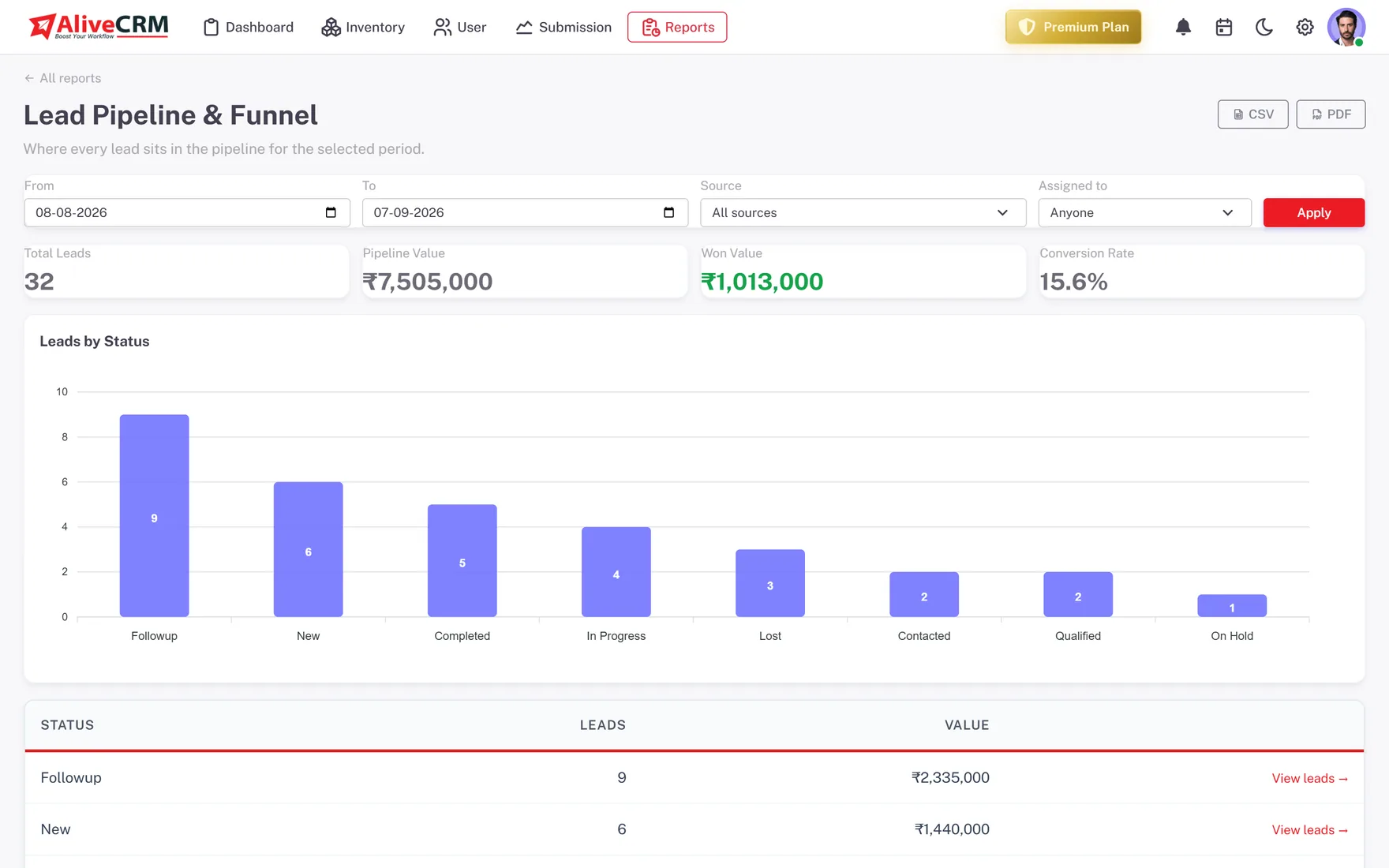
The Form Performance and source reports (Advance and Premium plans) compare forms and sources side by side. The Lead Pipeline report, on every plan, shows how many website leads sit in each status right now.
- Form Performance report
- Source report
- Lead Pipeline report on every plan
Who It Is For
Who Needs Website Lead Management
A busy contact form
You get enquiries every day but cannot say how many were answered. Give each one an owner and a reply deadline.
Teams running landing pages
Each campaign page gets its own form, so you can see which campaign produced leads that actually turned into sales.
Multi-service businesses
Route enquiries by category to the right team, instead of forwarding emails around the office and hoping someone picks them up.
Owners who reply themselves
Get notified when a lead arrives, call from your phone and keep the history on the lead, not buried in your messages.
Honest limits
What AliveCRM Does Not Do on Your Website
AliveCRM manages leads from your own website forms. It does not add live chat or a chatbot to your site, track anonymous visitors or run ads. Keep your web analytics tool for traffic data, and use AliveCRM for what happens after someone fills in a form.
Turn Website Enquiries Into Customers
Start free, add a form to your busiest page and give every enquiry an owner.
FAQ
Frequently Asked Questions
Put a CRM-connected form on your key pages so every enquiry is saved as a lead, give each lead an owner, set a reminder for the first reply and review your sources each month. AliveCRM handles all four steps in one product, so you do not need a separate form tool.
Yes, on the Basic plan and above. You set a rule for each submission type: round-robin, least busy, balanced, random, a fixed owner, or off. The pool of reps comes from the team on each product, project or service. With rules off, new leads go to the company admin.
Every lead created from a form records the form and the page URL it was submitted on. You can filter leads by source, and on the Advance and Premium plans the Form Performance report compares forms side by side, so you know which pages deserve more traffic.
Yes. AliveCRM sends an in-app notification when a lead comes in, plus an email on Basic and above, and the assigned owner gets an in-app notification when a lead is given to them. The first reply no longer depends on someone remembering to check the inbox.
Ask only what your team needs for the first reply: a name, a phone number or email, and one question about what the visitor wants. Every extra field costs you submissions, and you can collect more detail on the call. In AliveCRM you pick fields from a palette, so trimming a form is quick.