Website Enquiries
Website Enquiry Management for Small Teams
Stop answering contact form enquiries from a shared inbox. Give each one an owner, a fast reply and a follow-up until it is won or closed.
The short answer
What is website enquiry management?
Website enquiry management is what happens after someone fills in your contact form: the enquiry gets an owner, a first reply, notes, a follow-up and an outcome. AliveCRM turns each website enquiry into a lead with all of that on one record, so no enquiry waits in an inbox for someone to notice it.
Most small businesses already get enquiries from their website. The trouble starts afterwards: form emails go to an info@ address that three people read, everyone assumes someone else replied, and nobody can say how many enquiries turned into customers.
Signs your website enquiries need managing
- Form emails land in a shared inbox with no owner.
- Customers chase you before you have replied.
- Nobody knows which enquiries were followed up.
- You cannot say how many enquiries became sales last month.
How It Works
From Contact Form to Closed Enquiry
Each enquiry moves through the same steps, with one person responsible.
Receive
Enquiries Arrive as Leads, Not Emails
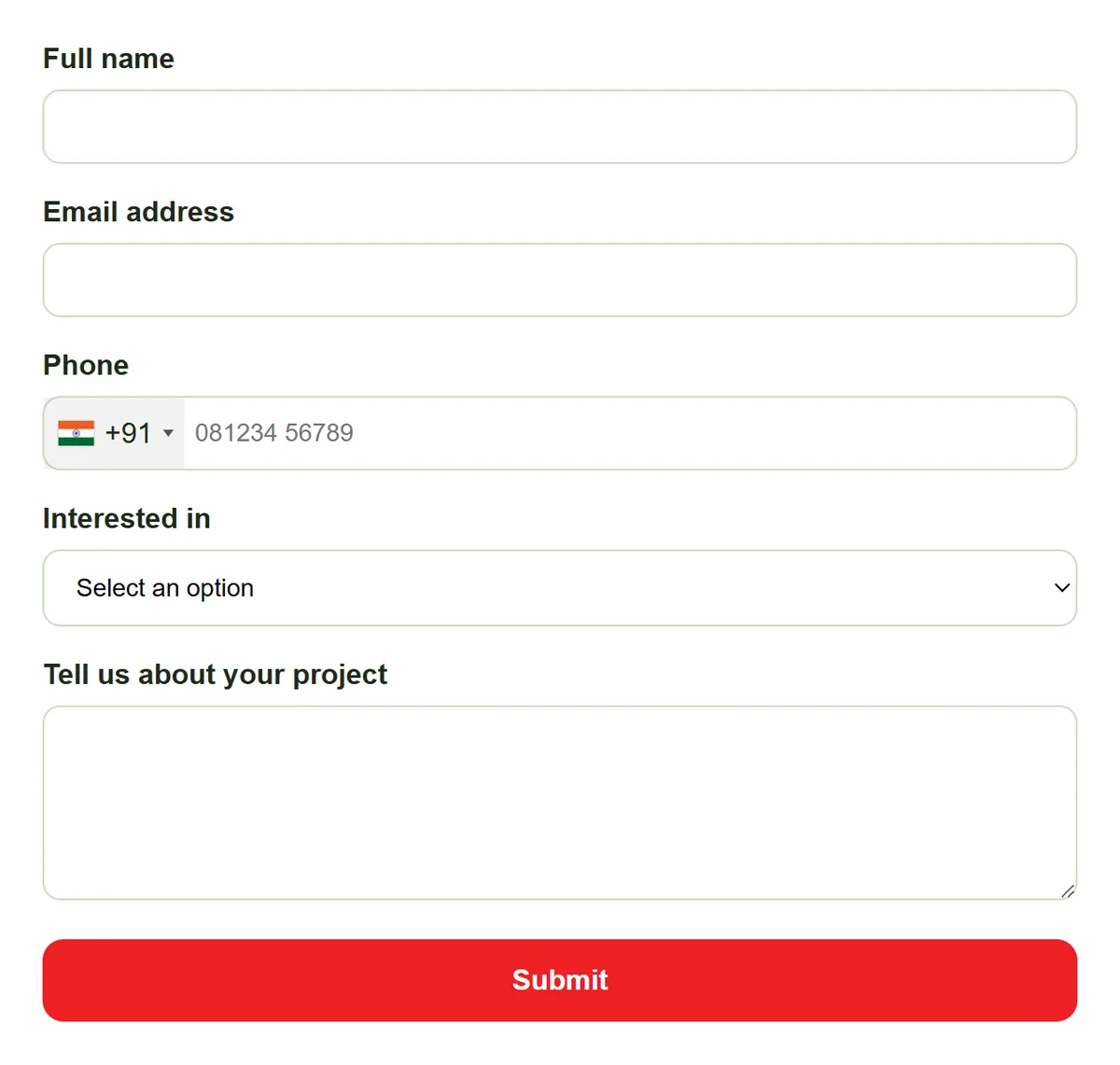
Replace your contact form with an AliveCRM form, or add one to any page with a single script tag. Each submission becomes a lead with its source and page recorded, and the owner and admins get an in-app notification, plus an email on the Basic plan and above.
- One script tag to embed
- Source and page on every lead
- In-app and email notifications
Own
An Owner From the First Minute
With auto-assignment on the Basic plan and above, each enquiry goes to a team member by round-robin, least busy or a fixed owner. Without it, enquiries go to the company admin to assign by hand. Either way the owner is shown on the lead.
- Automatic or manual assignment
- Owner shown on every enquiry
- Reassign when someone is away
Rahul Sharma
Example Technologies
Reply
A Fast First Reply
A response timer on every new lead turns orange at 15 minutes and red at 30, so a waiting enquiry is obvious to the whole team. The owner can call from the lead, and on Advance and Premium open a WhatsApp chat, with each contact logged.
- Response timer on every lead
- Tap-to-call from the lead
- Contact History log
Rahul Sharma
Example Technologies
Close
Follow Up Until There Is an Answer
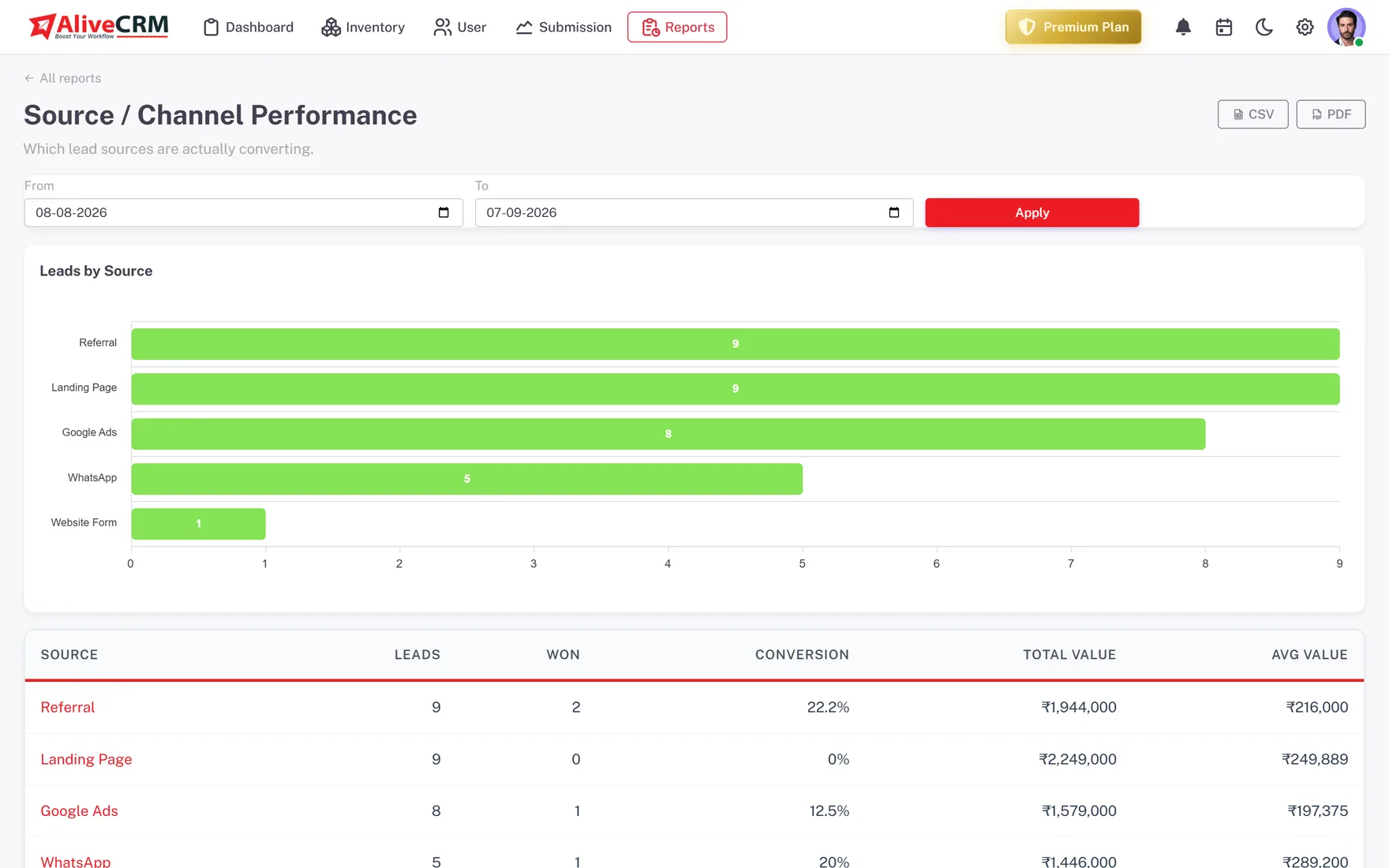
Set a reminder (Basic and above) for the next step after every reply, and move the enquiry through your own statuses until it is won or closed. On Advance and Premium, Source Performance and Form Performance show which pages bring enquiries that turn into sales.
- Reminder for the next step
- Your own statuses
- Results per source and form on Advance+
An example day
One Website Enquiry, Handled Properly
This is an illustration of how a small business might handle a website enquiry in AliveCRM, not a customer story.
- 11:02 am. A visitor fills in the form on the pricing page. The lead is created with the page recorded and goes to the next person in the round-robin.
- 11:09 am. The owner sees the notification and calls from the lead. The call is logged and the timer stops under 15 minutes.
- 11:20 am. The owner notes what the customer needs and sets a reminder to send a price on Thursday.
- Thursday. The reminder fires, the price goes out, and the status moves to Quote Sent.
- Month end. The owner of the business checks which pages brought enquiries that became sales.
Who It Is For
Teams That Manage Website Enquiries in AliveCRM
Small businesses
A contact form that used to email the owner now creates a lead someone is responsible for answering.
Sales and front-desk teams
Several people answering enquiries, shared fairly, with the response timer showing which ones are still waiting.
Businesses with many pages
Forms on service, product and pricing pages, with the page recorded so you know what each visitor was looking at.
Owners who want numbers
A clear count of enquiries, replies and wins, instead of guessing from an inbox how the website is doing.
Honest limits
What AliveCRM Does Not Do With Website Enquiries
AliveCRM does not read your existing email inbox or turn old form emails into leads, and it has no live chat widget or chatbot. Enquiries must come through an AliveCRM form, a CSV import or be added by hand. It does not send email campaigns to your enquiries either.
Give Every Website Enquiry an Owner
Start a 7-day free trial and swap your contact form for an AliveCRM form.
FAQ
Frequently Asked Questions
Yes. Build the form in AliveCRM and paste one script tag where your current contact form sits, or add it through Google Tag Manager or a WordPress page. Your site stays as it is, and each new submission arrives in AliveCRM as a lead instead of an email.
The person the enquiry is assigned to and the company admins get an in-app notification, and on the Basic plan and above an email too. With auto-assignment on the Basic plan and above, that is the team member picked by your rule. Without it, the enquiry goes to the company admin to assign.
As fast as you can, ideally within the hour, because people often contact several businesses at once. AliveCRM shows a timer on every new lead that turns orange at 15 minutes and red at 30, so the team can see which enquiries are still waiting for a reply.
It is the same product seen from a different angle. This page covers handling enquiries after they arrive: ownership, replies and follow-up. Our website lead management page covers the full setup, from building forms to reporting on every lead your website produces.