Lead Tracking
Lead Tracking Software That Shows Where Every Lead Stands
AliveCRM tracks each lead from first enquiry to won or lost: its source, its owner, its last contact and what happens next, in one list your team shares.
The short answer
What is lead tracking software?
Lead tracking software records where each lead came from, what stage it is at, who owns it and when it was last contacted. Instead of asking the team for updates, you open one list and see it. AliveCRM tracks all of this on the lead record and keeps a history of every status change.
Tracking is what turns a pile of enquiries into a pipeline you can manage. Without it, you only find out a lead was dropped when the customer says they went with someone else.
Questions lead tracking should answer in seconds
- How many new leads came in this week, and from where?
- Which leads have not been contacted yet?
- Who is carrying too many open leads?
- Where in the pipeline are leads getting stuck?
How It Works
What AliveCRM Tracks on Every Lead
Four things on one record, updated as your team works.
One List
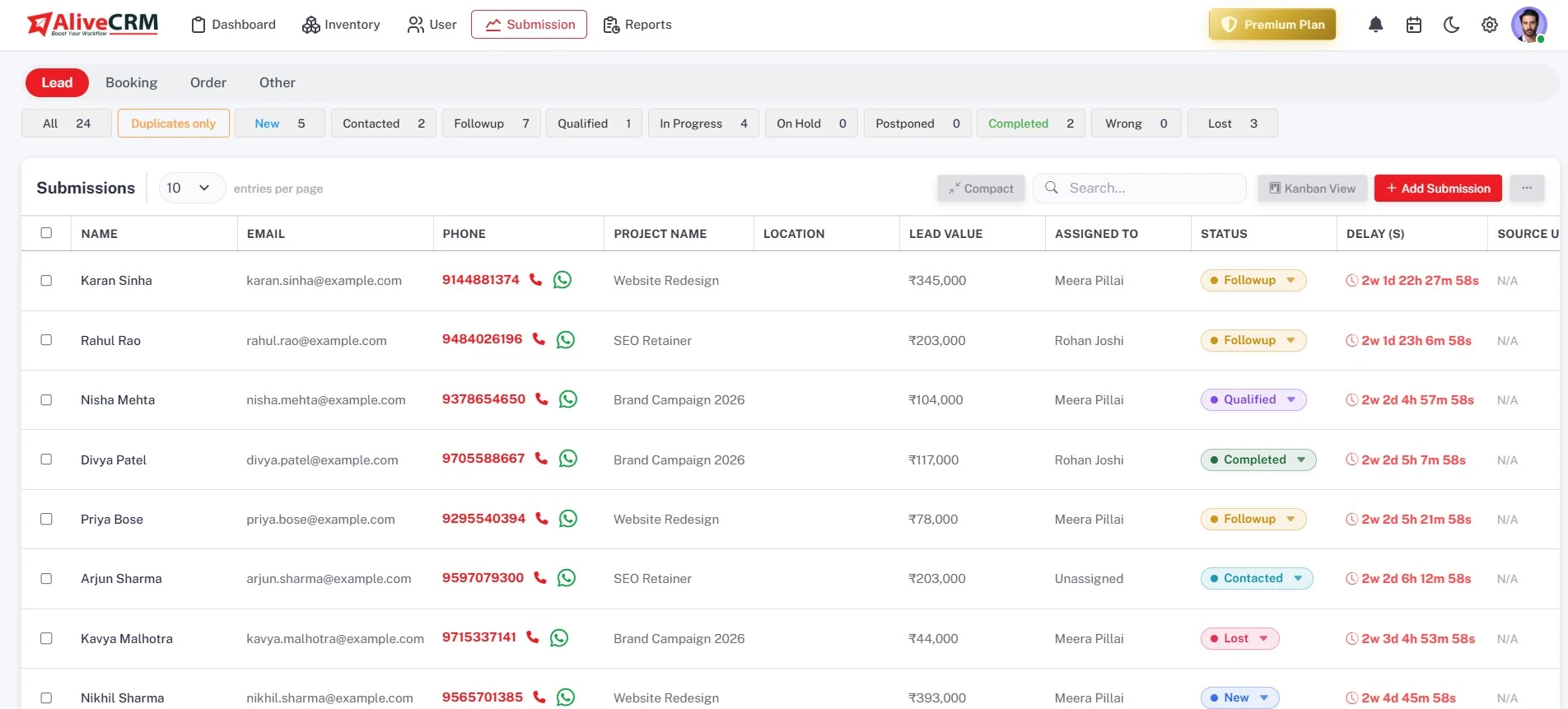
Every Lead in One List
Website, referral, imported and manual leads sit together. Filter by assigned user, status, source or the product, project or service a lead is linked to, and switch between Kanban and list views.
- All sources in one list
- Filter by user, status, source or item
- Kanban and list views
Status
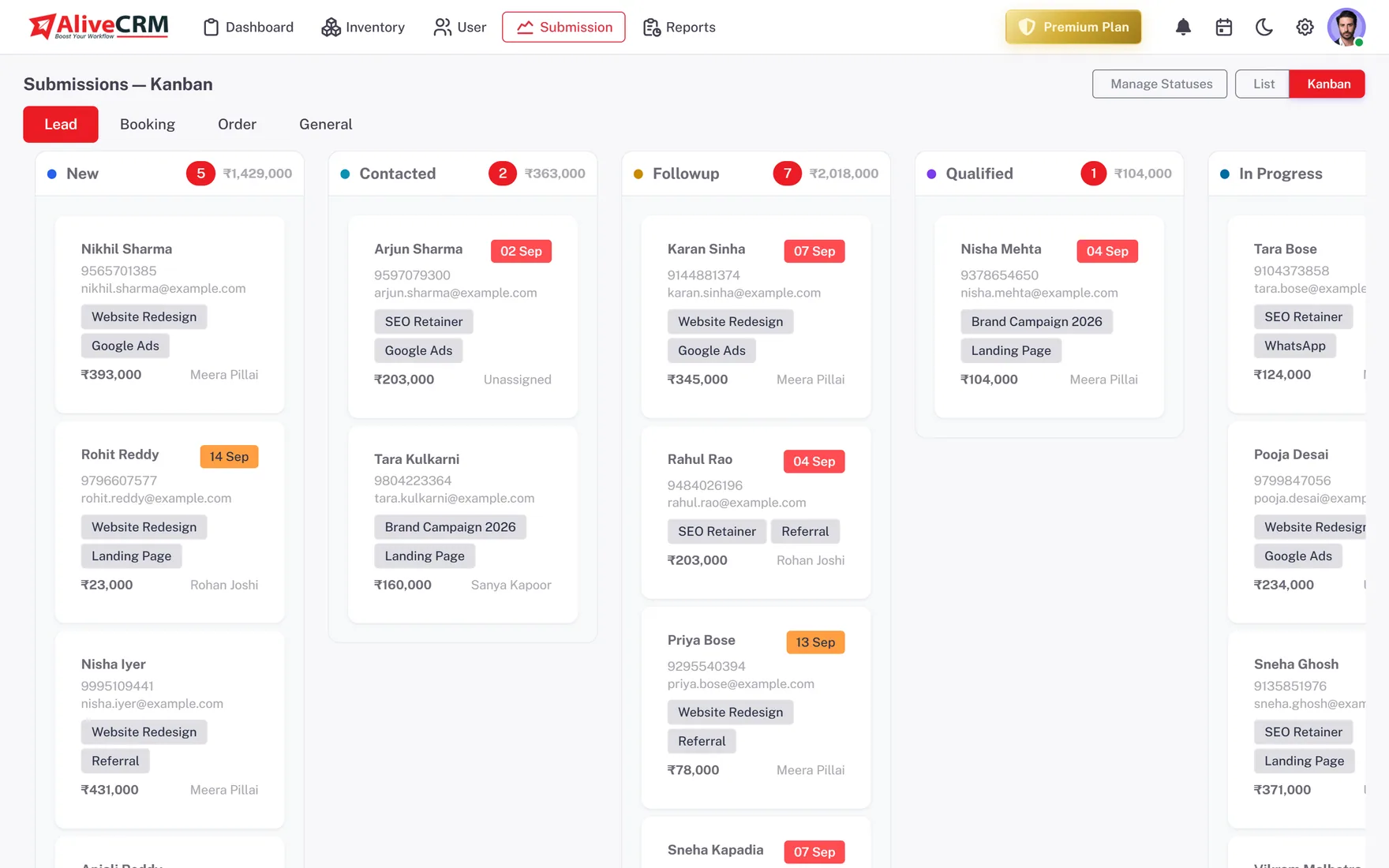
Track Status and Its History
Move leads through the statuses you define. The Kanban board shows the count and total value in each column, and each lead keeps a status history showing who changed it and when.
- Your own status pipeline
- Count and value per column
- Status history with who and when
Activity
Track Contact, Not Just Status
Each lead shows a delay timer from arrival and its last contact time. Calls and WhatsApp taps from the lead are logged in Contact History, and the last contact only updates when a real contact happens.
- Delay timer on every lead
- Contact History for calls and WhatsApp
- Overdue reminder count on the dashboard
Rahul Sharma
Example Technologies
Reports
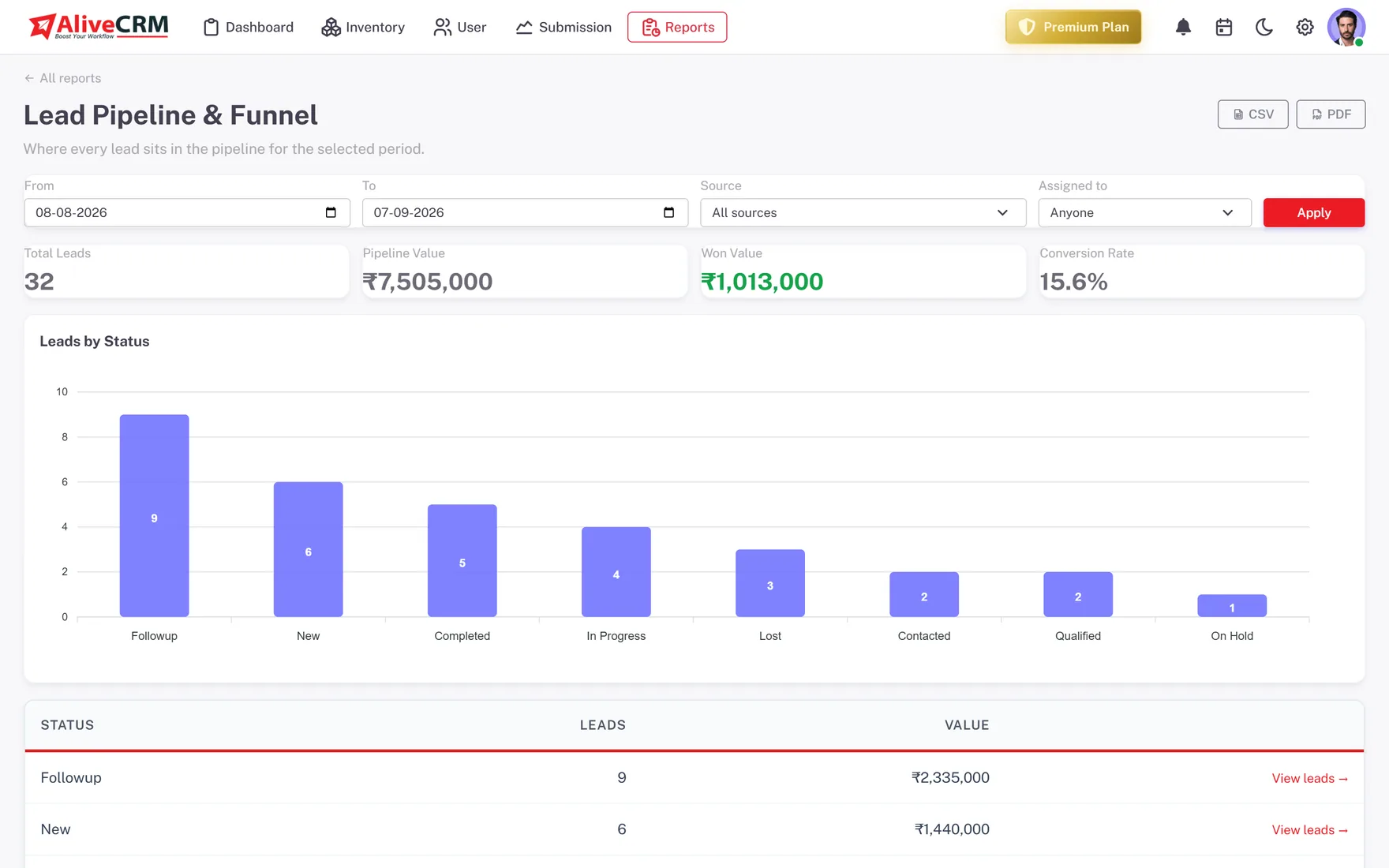
See the Pipeline as a Whole
The Lead Pipeline report, on every plan, counts leads in each status. On Advance and Premium, the Conversion Funnel shows where leads drop off and the Sales Rep Performance report shows average response per person.
- Lead Pipeline report on every plan
- Conversion Funnel on Advance and Premium
- Average response per rep
Who It Is For
Who Needs Lead Tracking Software
Sales managers
Filter by rep to see each person's open leads and overdue follow-ups before the Monday meeting, not during it.
Teams leaving spreadsheets
A shared sheet cannot show who changed a status or when a lead was last called. A lead record can.
Owners watching marketing spend
See which sources bring leads that move forward, so you know which channels are worth more time and money.
Project and property sellers
Filter leads by project to see how many enquiries each project has and how far along each one is.
Honest limits
What AliveCRM Does Not Track
AliveCRM tracks leads once they reach you through a form, an import or manual entry. It does not track anonymous website visitors, email opens or ad clicks, and it does not score leads with AI. Use your analytics tool for traffic, and AliveCRM for what happens after someone gets in touch.
Know Where Every Lead Stands
Start free and see your whole pipeline in one list.
FAQ
Frequently Asked Questions
Move them into a lead tracker that keeps one record per lead with a source, status, owner and next step. In AliveCRM you can import your sheet as a CSV file, up to 2,000 rows per file, then track new leads from your website forms in the same list.
Yes. Every lead keeps a status history that records each change, who made it and when. That means you can see how long a lead sat in each stage and step in when one has been stuck for too long, without asking around the team.
Yes. Every lead records its source, and leads from forms also record the form and page. You can filter the lead list by source on any plan, and the Advance and Premium plans add reports that compare sources and forms side by side.
Lead tracking is about visibility: knowing where each lead is and what has happened to it. Lead management is the wider process of capturing, assigning and following up. AliveCRM does both, but this page focuses on the tracking side: status, history and reports.
Use both. The Kanban board shows one column per status with the count and total value of leads in each, which is ideal for a quick pipeline check. The list view is better for filtering and searching, for example every lead from one source assigned to one rep this month.