Lead Management
Lead Management Software That Stops Leads Slipping Away
AliveCRM is lead management software for small sales teams. Every enquiry gets one record, one owner and a next step, so none of them go quiet.
The short answer
What is lead management software?
Lead management software tracks each enquiry from the moment it arrives until it becomes a customer or is closed. It records where the lead came from, who owns it, what was said and when to follow up. AliveCRM does this on one record per lead, shared with your whole team.
Without it, leads live in five places: an inbox, a spreadsheet, a notebook, a WhatsApp chat and somebody's memory. The cost stays hidden until you count the enquiries nobody answered. This page shows how AliveCRM runs each step, from capture to close.
Where leads usually get lost
- Between the website form and the first reply.
- When the owner is away and nobody else knows the lead exists.
- After the first call, when no follow-up date was set.
- When a duplicate record splits the history in two.
How It Works
The Lead Management Process in AliveCRM
Five steps on one record, with no hand-offs between tools.
Capture
Capture Every Enquiry in One Inbox
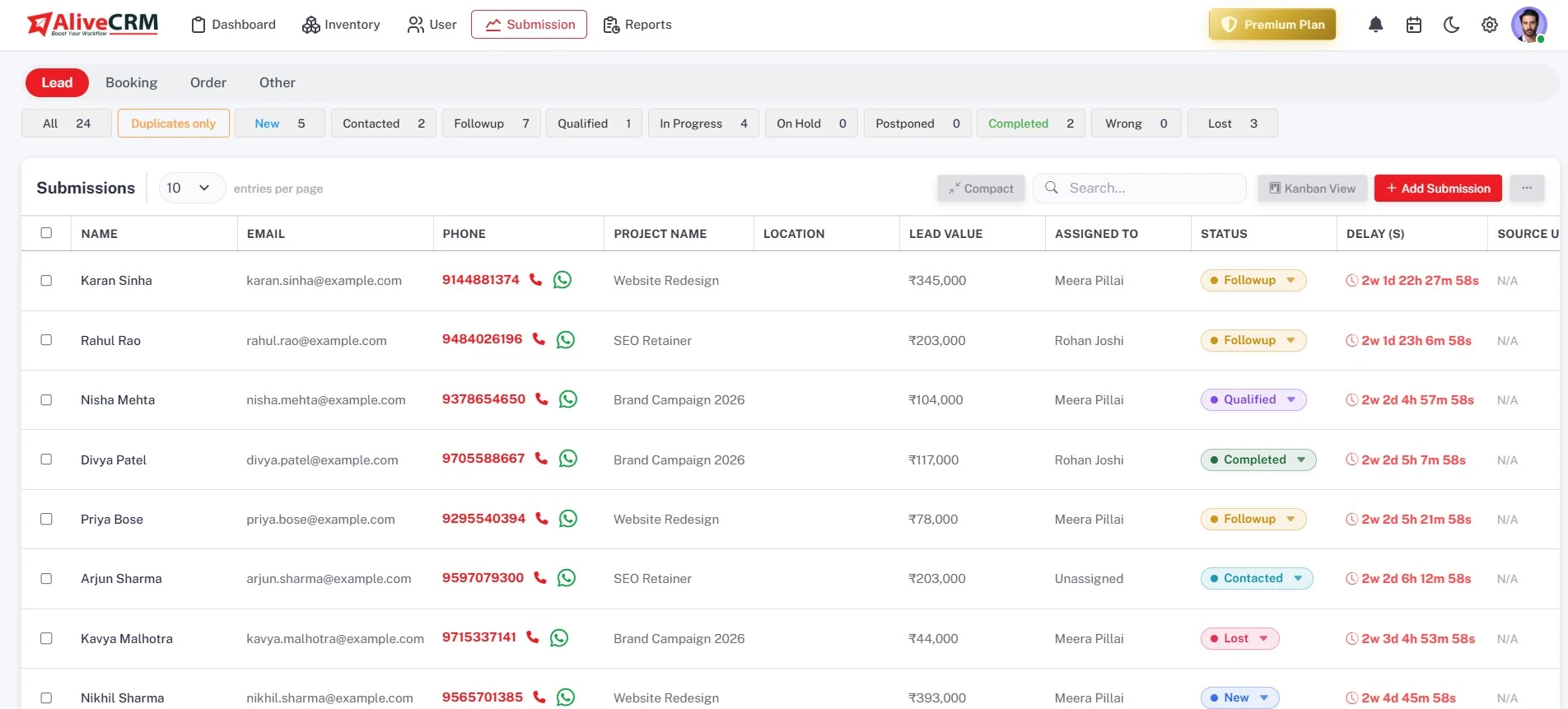
Website forms, manual entries and CSV imports all land in the same lead list. Each lead shows its source, so you know which page or campaign it came from, and duplicate submissions stay on one record instead of two.
- Website forms with a one-tag embed
- CSV import, up to 2,000 rows per file
- Duplicate-free lead records
Assign
Assign Leads Automatically or by Hand
Set an auto-assignment rule for each submission type: round-robin, least busy, balanced, random, a fixed owner, or off (Basic plan and above). The new owner gets an in-app notification, and you can reassign any lead when plans change.
- Six assignment options per submission type
- In-app notification to the new owner
- Manual reassignment at any time
Rahul Sharma
Example Technologies
Track
Track Status With Your Own Pipeline
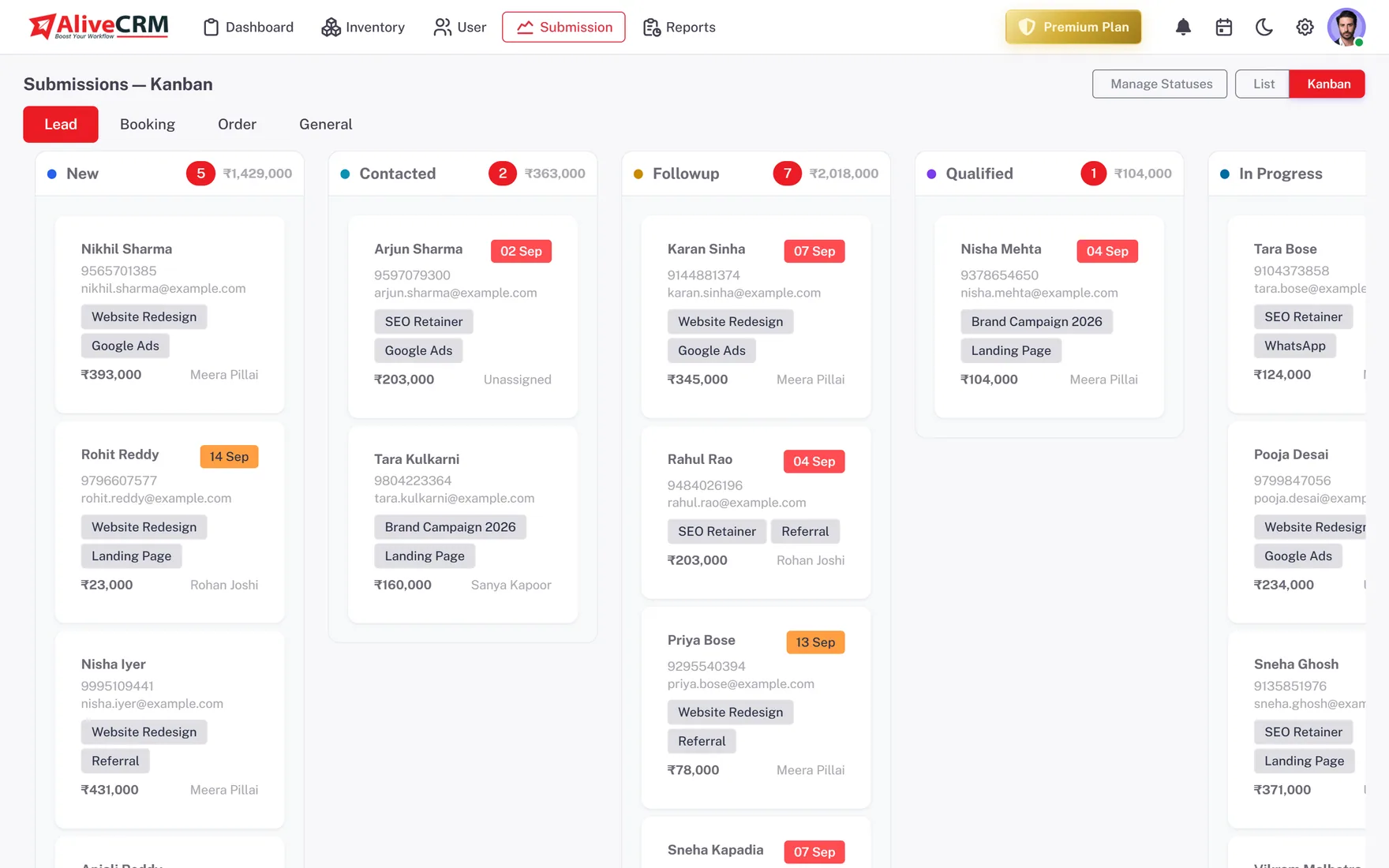
Create the statuses your team actually uses, from New to Won or Lost, and move leads on a Kanban board or in a list. Every change is saved to the lead's status history, so you can see exactly how it moved.
- Custom statuses and nested categories
- Kanban board and list views
- Status history on every lead
Follow Up
Follow Up on Time, Every Time
Put a reminder with a date, time and note on each lead (Basic plan and above). Call from the lead, or WhatsApp on Advance and Premium. Each tap is logged in Contact History, and overdue reminders show as a count on the dashboard.
- A reminder on every lead
- Contact History for calls and WhatsApp
- Overdue count on the dashboard
Rahul Sharma
Example Technologies
Who It Is For
Who Uses AliveCRM for Lead Management
Sales managers
See every open lead, who owns it and which ones are overdue, without asking for a status update in the team chat.
Business owners
Know how many enquiries came in this month, which source sent them, and how many turned into paying customers.
Sales reps
Start the day with a list of your own leads, the next call already scheduled and the notes from the last one.
Teams with many offerings
Link each lead to the product, project or service it is about, so the right specialist picks it up first.
Honest limits
What AliveCRM Does Not Do
AliveCRM manages the leads you already get. It does not buy or generate leads for you, send bulk email campaigns or score leads with AI. If you need marketing automation, a larger platform will suit you better. If your problem is enquiries going unanswered, start here.
Put Every Lead in One Place
Start free, connect your first form and give every new enquiry an owner.
FAQ
Frequently Asked Questions
Lead management covers the early part of the sales cycle: capturing an enquiry, qualifying it, assigning it and following up until it converts or closes. A CRM is the wider system that stores those leads along with customers, quotes and history. AliveCRM is a CRM built around that lead stage first.
Yes. You create and name your own statuses, and you can keep different ones for product, project and service leads. Typed, nested categories group leads further, and category routing can send each type to the right people. Statuses appear as columns on the Kanban board.
When a new submission matches a lead that is already in your account, AliveCRM keeps one record instead of creating a second. The notes, owner and status history stay together, so two reps do not end up calling the same person about the same enquiry.
Yes. You can try AliveCRM free for 7 days with no payment at signup. The trial runs on the Free plan: one user, one project, one form and the core lead workflow. After the trial you choose a paid plan for more users, auto-assignment and reminders, and your data carries over.
Roles decide what each user can do, and a "self only" setting limits a user to the leads assigned to them. Admins see everything. Two-factor login adds a second check at sign-in, which matters when several people share access to customer data.