Sales Lead Management
Sales Lead Management for Teams That Share Leads
When several reps work the same inbound leads, someone has to decide who owns what and what happens next. AliveCRM makes that the default, not a weekly meeting.
The short answer
What is sales lead management?
Sales lead management is the process a sales team follows to work its leads: qualify each one, give it an owner, agree the next step and make sure that step happens. AliveCRM puts each part of that process on the lead record, so managers can see it running without asking for updates.
The process matters more than the tool. A team that agrees what "qualified" means, how fast a new lead gets a reply and when a lead is closed as lost will outsell a team with a better CRM and no rules.
Rules worth agreeing as a team
- What counts as a qualified lead.
- How new leads are shared between reps.
- How fast a new lead must get a first reply.
- How many attempts before a lead is marked lost.
How It Works
A Sales Lead Process in Five Steps
The same steps for every rep, on every lead.
Qualify
Qualify With Statuses Your Team Agrees On
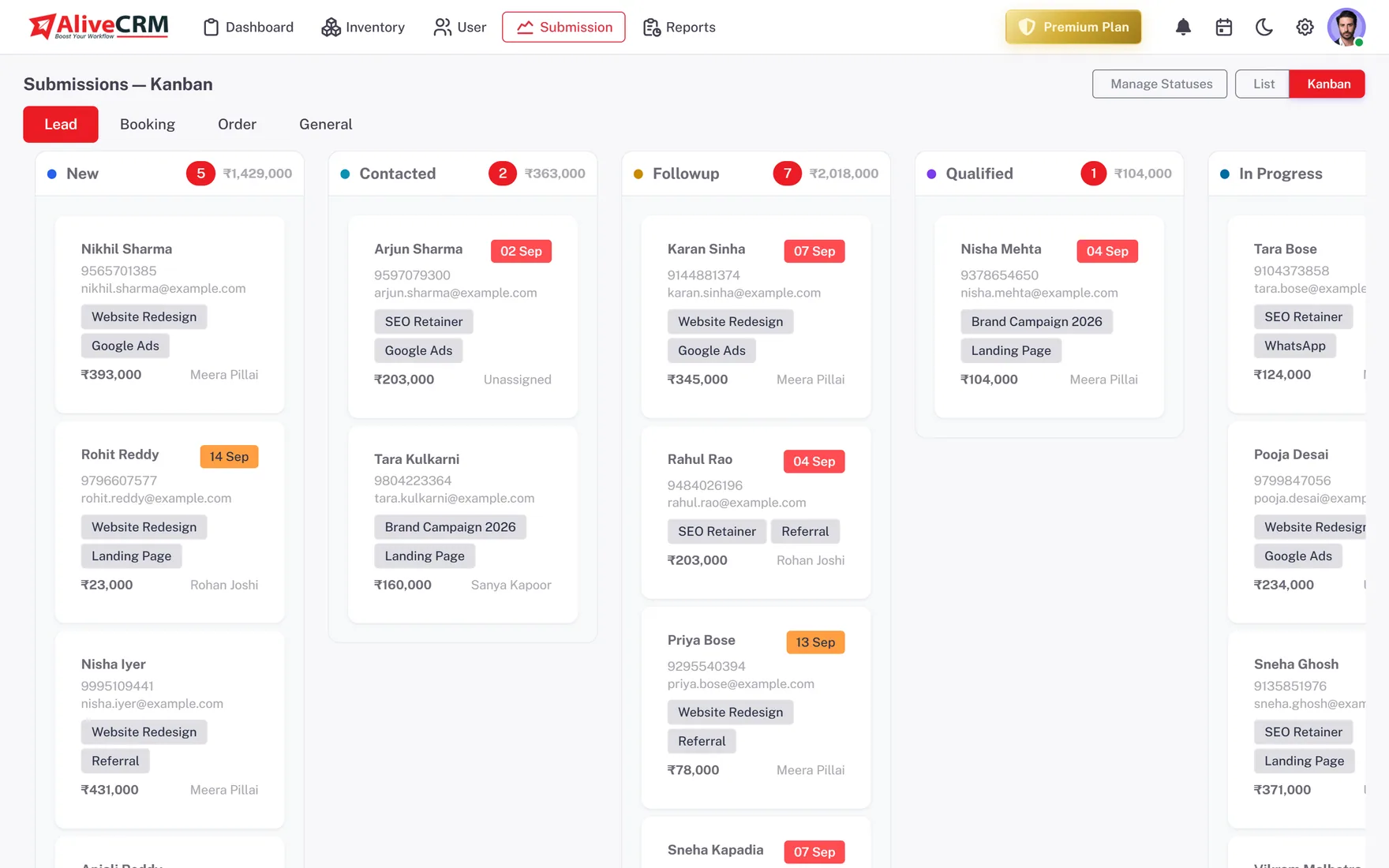
Turn your qualification rules into statuses: New, Contacted, Qualified, Proposal, Won, Lost or whatever fits. Categories add a second layer, such as budget band or enquiry type, so reps sort leads the same way.
- Custom statuses
- Typed, nested categories
- Status history on each lead
Assign
Share Leads Fairly Between Reps
Auto-assignment rules (Basic plan and above) share new leads by round-robin, least busy or random, or send them to a fixed owner. The pool for each product, project or service comes from the team on that item.
- Round-robin, least busy, balanced, random or fixed
- Pools per product, project or service
- Manual reassignment any time
Rahul Sharma
Example Technologies
Follow Up
Hold Every Lead to a Next Step
Each lead carries a reminder with a date, time and note (Basic plan and above). Reps call from the lead, or WhatsApp on Advance and Premium, and the contact is logged. Overdue reminders are counted on the dashboard, so slipping leads are visible.
- A reminder on every lead
- Contact History log
- Overdue count on the dashboard
Rahul Sharma
Example Technologies
Manage
Manage the Team, Not the Spreadsheet
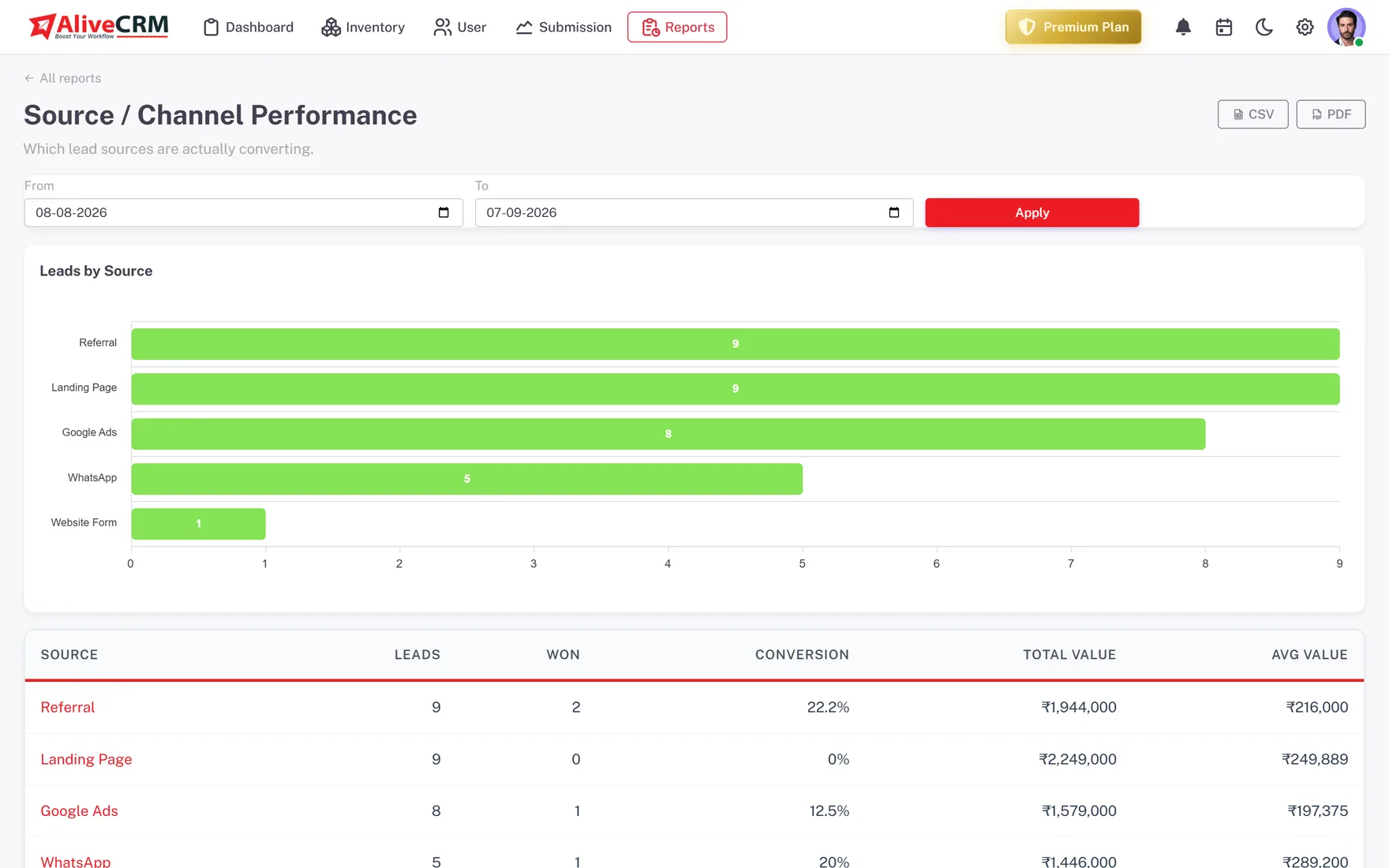
Roles and "self only" visibility give each rep their own list while managers see everything. On Advance and Premium, the Follow-up Compliance and Sales Rep Performance reports show who keeps to the process.
- Roles and permissions
- "Self only" lead visibility
- Follow-up Compliance report
Who It Is For
Who Uses AliveCRM for Sales Leads
Inside sales teams
Several reps answering the same inbound enquiries, who need a fair split and a clear rule for who calls whom.
New sales managers
You inherited a team and a messy sheet. Set statuses and rules once, then use reports instead of chasing updates.
Real estate sales teams
Project enquiries shared among agents, with site visits scheduled and every follow-up logged against the right project.
B2B and service sellers
Longer sales cycles with several calls, a quote and a decision, where losing track of one lead is expensive.
Honest limits
What AliveCRM Does Not Do
AliveCRM runs the process your team agrees on. It does not invent the process for you, score leads with AI, run outbound email sequences or dial numbers automatically. If your sales motion is high-volume outbound calling, pair your process with a dedicated dialer and keep inbound leads here.
Give Your Sales Team One Process
Start free, set your statuses and share your first leads.
FAQ
Frequently Asked Questions
Most teams use five: qualify the lead, assign an owner, make first contact, follow up until there is a decision, and close it as won or lost. In AliveCRM each stage maps to statuses you define, with a reminder holding the next step and a history of every change.
Pick a rule the team sees as fair and stick to it. Round-robin shares evenly, least busy favours reps with fewer open leads, and a fixed owner suits specialist products. AliveCRM supports all of these through auto-assignment on the Basic plan and above.
Every lead shows its last contact time and any overdue reminder, and the dashboard counts overdue reminders across the team. On the Advance and Premium plans, the Follow-up Compliance report shows reminders set and met per user, so you can coach instead of guess.
That is your choice. Roles control what each user can do, and the "self only" setting limits a rep to the leads assigned to them. Managers and admins can see all leads. Many teams use "self only" to stop two reps contacting the same customer.
They overlap. Lead management covers every lead from any source. Sales lead management focuses on how a sales team works those leads: fair sharing, qualification rules, follow-up discipline and coaching. This page covers the sales team side; our lead management software page covers the rest.