Feature
Follow-Up Reminders in Your CRM
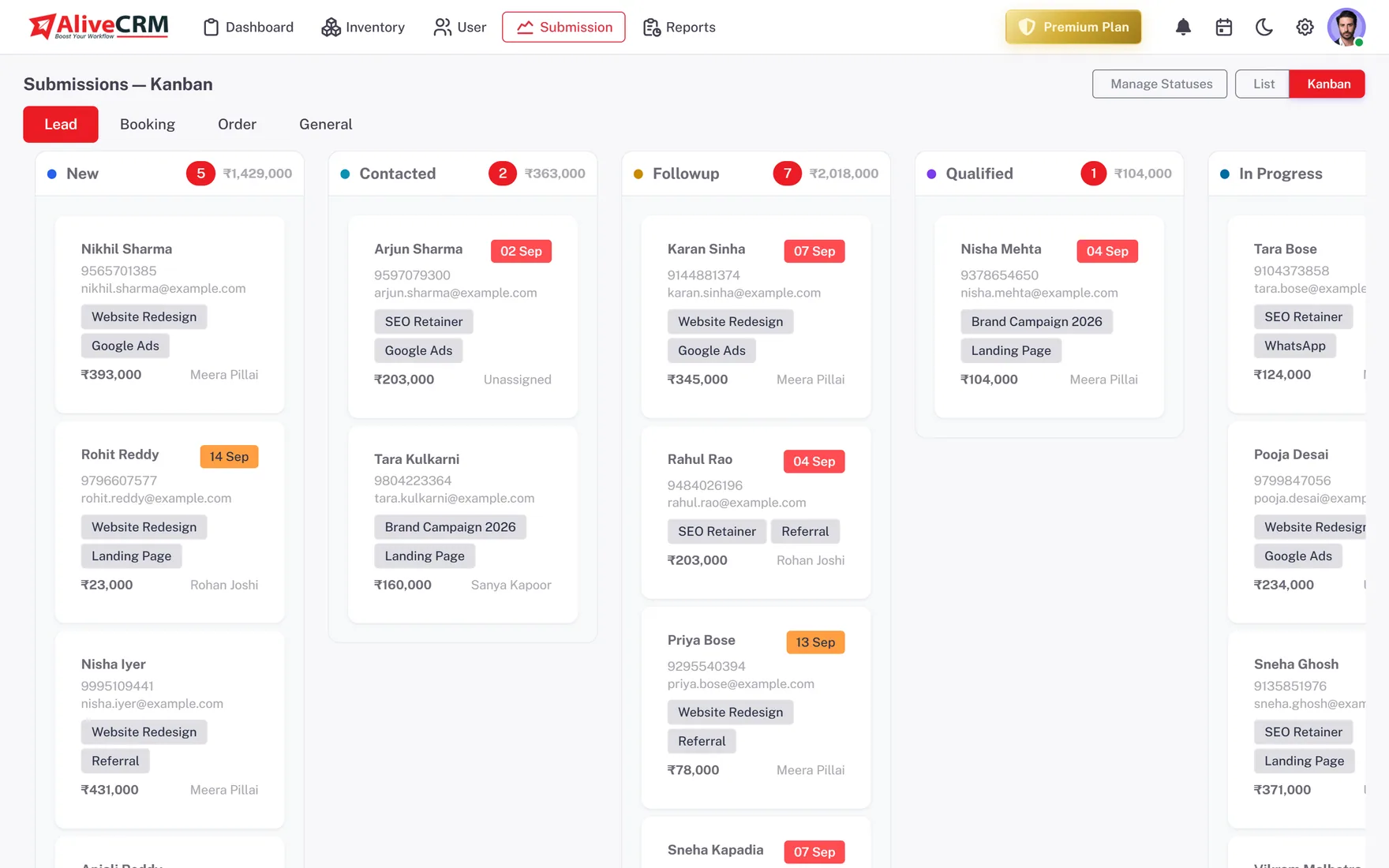
Set the next step on every lead, choose who gets reminded, and see overdue follow-ups on the dashboard the same day they slip.
The short answer
How do follow-up reminders work in AliveCRM?
Follow-up reminders in AliveCRM sit on the lead itself. Set a date, time and note for the next step, choose whether the assigned user, you or both are notified, and the reminder fires as an in-app alert, plus SMS on Advance and Premium. Overdue reminders are counted on the dashboard.
Most leads are not lost to a weak pitch. They are lost to silence: a promised call that never happens, a quote nobody chased. This page covers the reminder tools in detail; our lead follow-up software page covers the bigger picture.
What the reminder tools cover
- The next step and when it is due.
- Who is told when it comes round.
- How fast the first reply happened.
- Which follow-ups are already late.
How It Works
One Follow-Up, Start to Finish
Repeat on every lead until it is won or lost.
Reminders
A Reminder on Every Lead
Set a date, time and note for the next action on any lead, and choose whether to notify the assigned user, yourself or both. Reminders are on the Basic plan and above, with in-app alerts, and SMS alerts are added on Advance and Premium.
- Date, time and note per lead
- Notify the owner, you or both
- SMS alerts on Advance and Premium
First Reply
A Timer on Every New Lead
The response timer runs from the moment a lead arrives. It shows blue under 15 minutes, orange after 15 and red after 30, and stops at the first status change or the first call or WhatsApp click, so slow first replies are visible.
- Blue, orange and red stages
- Stops at first contact or status change
- Average response per rep in reports
Rahul Sharma
Example Technologies
Contact
Call or WhatsApp From the Lead
A call button sits on every lead, and on Advance and Premium a WhatsApp button opens a chat with a ready message. Each tap is logged in Contact History, and the last contact time only changes when a real contact happens.
- Tap-to-call on every plan
- WhatsApp with a ready message on Advance+
- Contact History log
Rahul Sharma
Example Technologies
Oversight
Overdue Alerts and Compliance
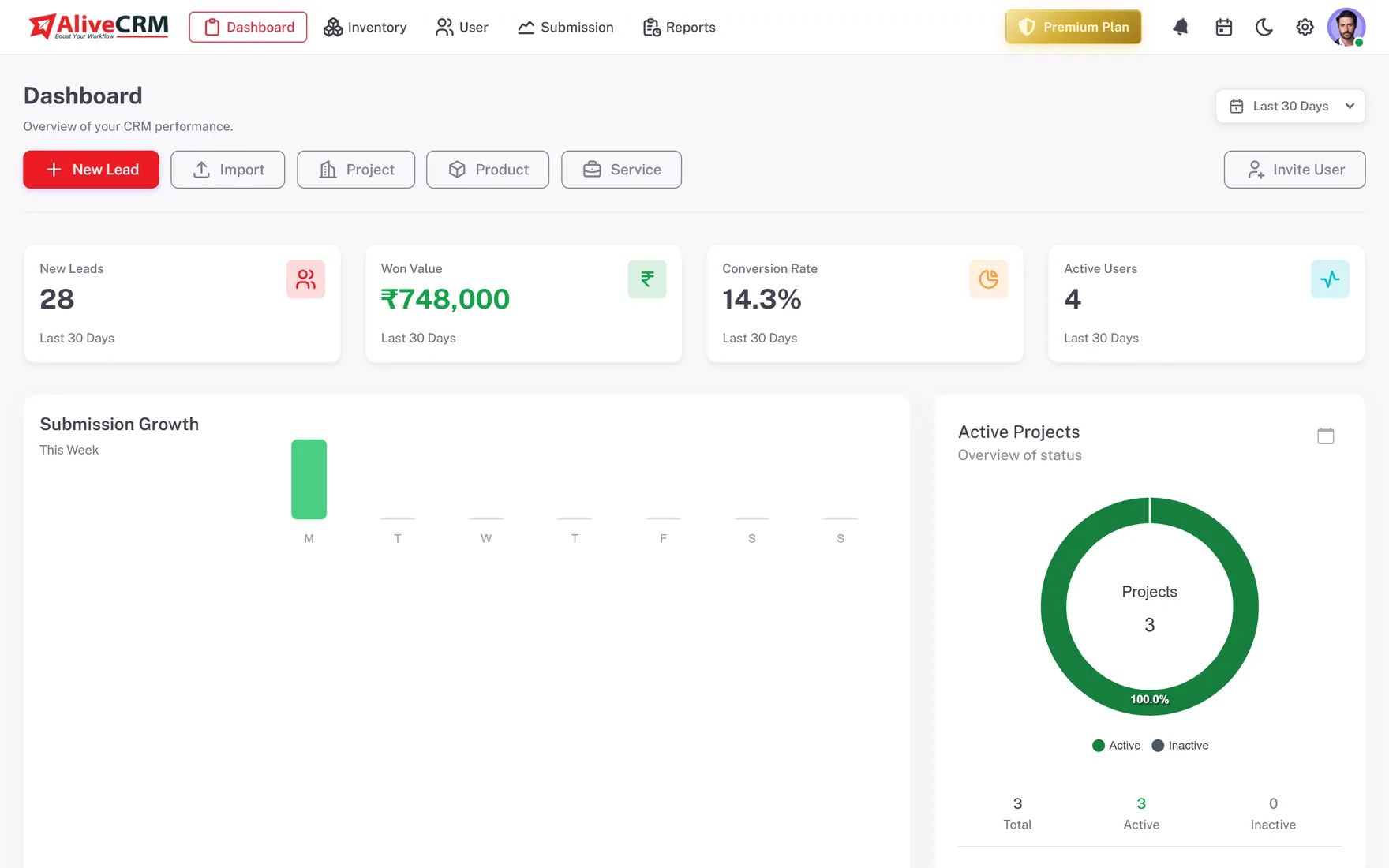
The dashboard flags overdue reminders and unassigned leads before you open a single lead. On Advance and Premium, the Follow-up Compliance report shows how reliably each rep clears reminders on time.
- Overdue count on the dashboard
- Unassigned lead alerts
- Follow-up Compliance report
Who It Is For
Who Relies on Follow-Up Reminders
Reps juggling many leads
Stop keeping the next step in your head or a notebook; the CRM tells you who to call and when.
Managers
See overdue follow-ups across the team each morning, and use compliance reports in coaching conversations.
Property sales teams
Set a reminder after every site visit so buyers comparing several projects hear from you while yours is still fresh.
Admission counsellors
Remind counsellors to call back parents and students within days, before another institute makes the offer first.
Honest limits
What Follow-Up Reminders Do Not Do
Each lead holds one active reminder at a time, and reminders do not appear on the event calendar. AliveCRM does not send follow-up emails or WhatsApp messages automatically; it reminds a person to do it. Reminders are not part of the free trial's Free plan.
Put a Next Step on Every Lead
Start a 7-day free trial, then turn on reminders with any paid plan.
FAQ
Frequently Asked Questions
Set a date, time and note on any lead and choose who to notify: the assigned user, yourself or both. The reminder arrives as an in-app notification at the set time, plus an SMS on the Advance and Premium plans. If it passes without being cleared, it is counted as overdue on the dashboard.
Reminders are on the Basic plan and above. Advance and Premium add SMS alerts, WhatsApp chat from the lead and the Follow-up Compliance report. The free trial runs on the Free plan, which keeps notes and status history but does not include reminders.
Yes. The dashboard shows a count of overdue reminders and alerts for unassigned leads, so missed follow-ups show up the same day. On Advance and Premium, the Follow-up Compliance report shows reminders set and met per user over any date range.
Yes, on the Advance and Premium plans. Build a quotation from the lead with items, discount, GST, terms and a due date, download it as a PDF and convert it into an invoice when the customer agrees. Then set a reminder to chase it.
The time from a lead arriving to the first status change or the first call or WhatsApp click. It shows blue under 15 minutes, orange after 15 and red after 30. On Advance and Premium, the Sales Rep Performance report shows the average response per person.