Feature
Product Enquiry Management in Your CRM
Keep a catalog of what you sell and link every enquiry to the product the buyer asked about, from the first form to the final sale.
The short answer
What is product enquiry management?
Product enquiry management means every lead is linked to the product it is about. In AliveCRM you keep a product catalog with SKU, price, stock and category, give each product its own enquiry form, and every lead from that form arrives already tagged with the product, ready for the right person to answer.
Teams selling several products often keep one flat lead list. That works until someone asks which product line is drawing interest, or which one gets enquiries but no sales.
What a flat lead list hides
- Which product each buyer wanted, so reps ask again.
- Which product page is producing enquiries.
- Which products get interest but few orders.
- Who on the team knows each product best.
How It Works
From Product Page to Order
The product stays on the lead at every step.
Catalog
A Product Catalog Inside Your CRM
Each product is a record with a name, SKU, price, stock, category, an image and an active or inactive status. It lives in the same CRM your team uses for leads, so there is no separate app to keep in sync.
- Name, SKU, price and stock
- Categories and an image
- Active and inactive status
Rahul Sharma
Example Technologies
Forms
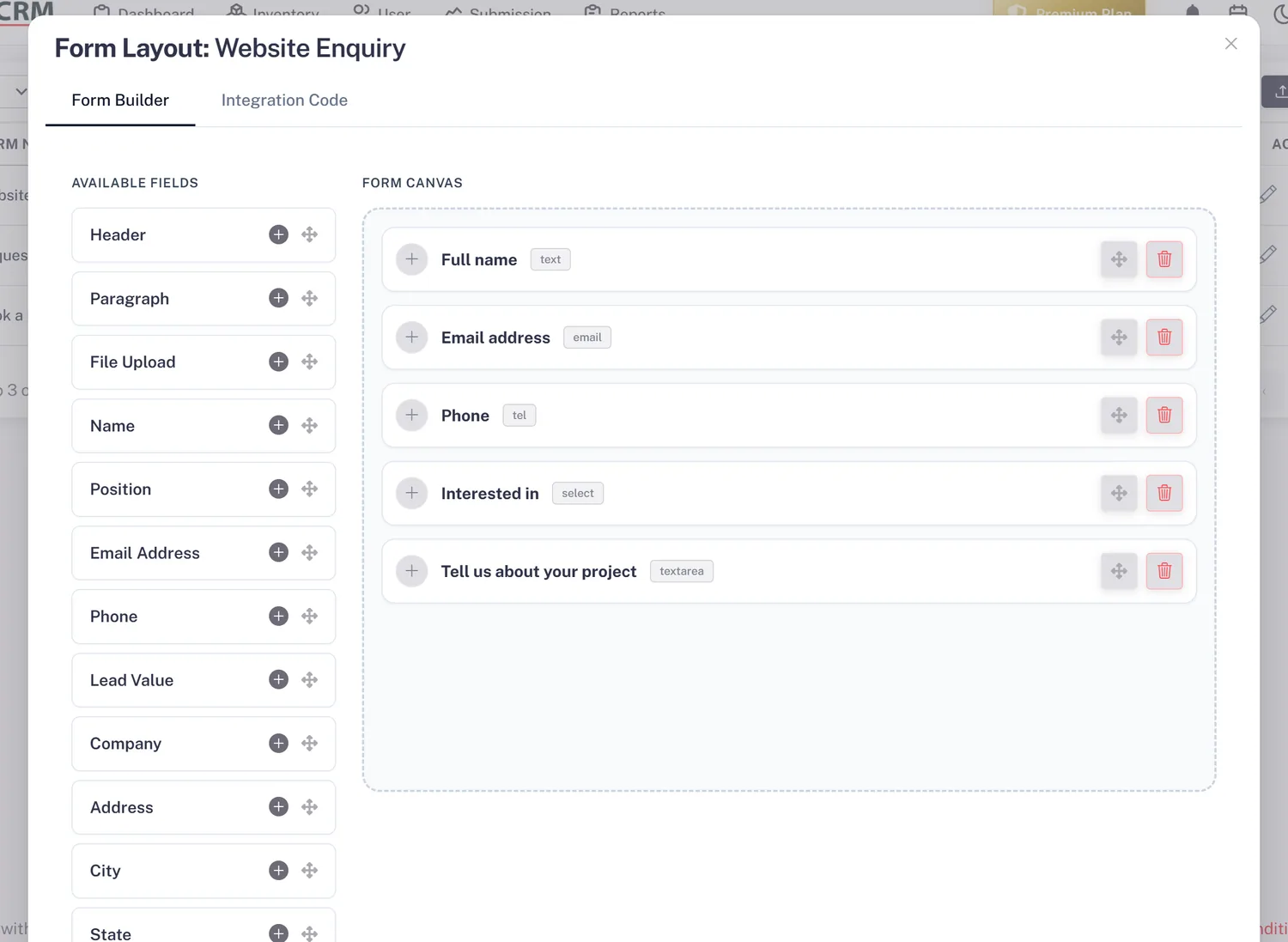
A Form for Every Product
Each lead capture form belongs to one product, or you can set the product on a lead by hand. From then on the lead carries the product, and you can filter the lead list by it to see every enquiry for one item.
- One form per product
- Product shown on every lead
- Filter leads by product
Team
A Team for Each Product
Choose the people who sell each product. With auto-assignment on the Basic plan and above, enquiries for that product are shared among its team first, so buyers reach someone who knows the product from the first call.
- Team per product
- Item team tried first
- Manual reassignment any time
Rahul Sharma
Example Technologies
Report
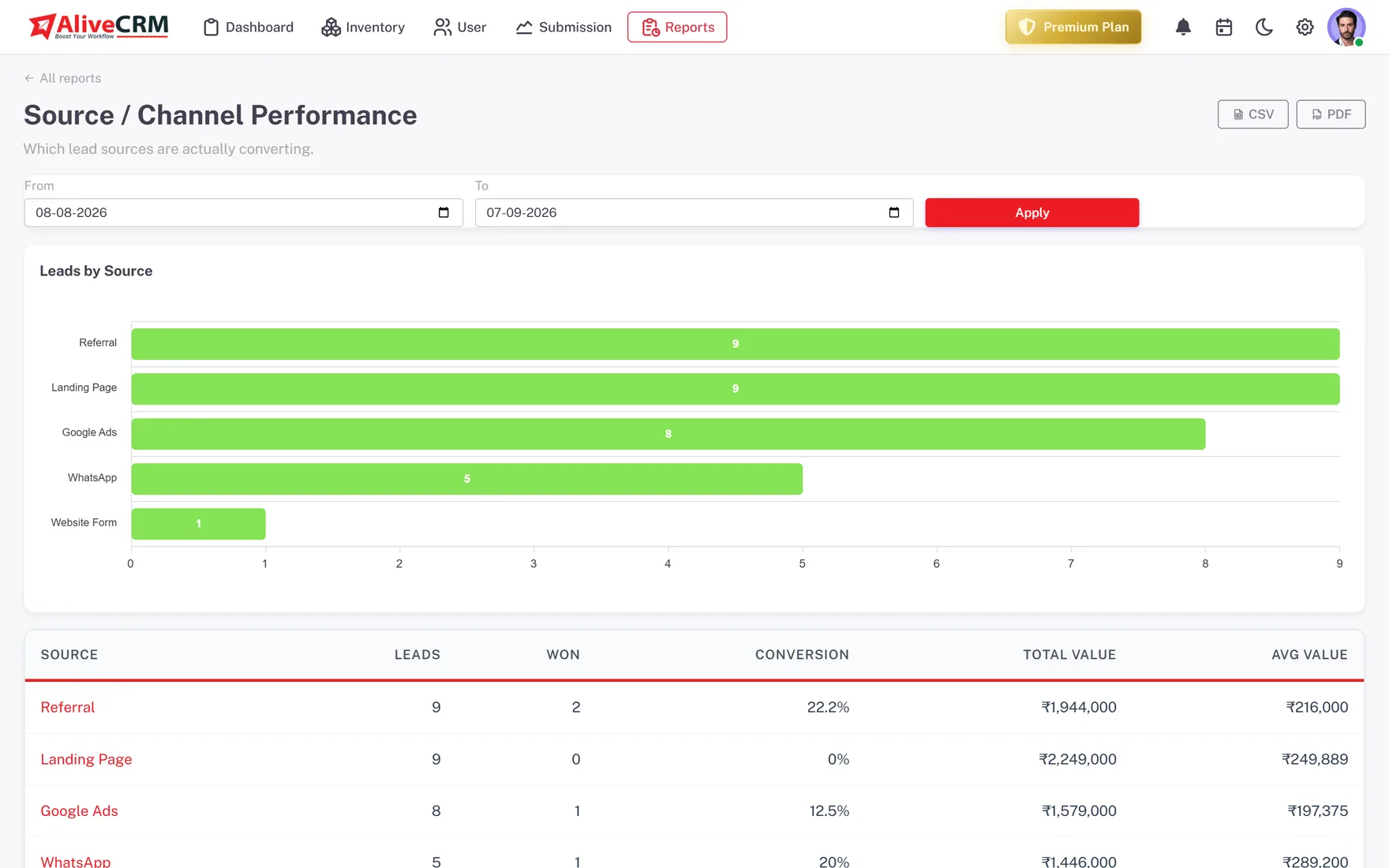
See Which Products Draw Demand
On the Advance and Premium plans, the Product Catalog report lists products and services with the number of orders or bookings each one has received, so you can compare enquiries against what actually sells.
- Order count per product
- Products and services together
- Spot products that need attention
Who It Is For
Who Manages Product Enquiries This Way
Equipment and machinery sellers
High-value products with technical questions, where the buyer needs a specialist on the first call, not a generalist.
Building material suppliers
Many product lines, each with its own buyers, and a need to see which lines bring the most enquiries each month.
B2B distributors
Trade enquiries arriving for specific items, shared among the reps who handle those product ranges.
Considered consumer purchases
Furniture, solar, appliances and similar products where buyers enquire, compare and often need a follow-up call to decide.
Honest limits
What Product Management Does Not Do
This is a product catalog for managing leads, not an inventory or order system. It does not run a warehouse, track stock movements, process online orders or take payments. One form is linked to one product, so a page offering several products needs a form for each.
Link Every Enquiry to a Product
Start a 7-day free trial, add your first products and build a form for each.
FAQ
Frequently Asked Questions
No. It is a product catalog for managing leads: name, SKU, price, stock, category and status, connected to the enquiries each product generates. It is not warehouse or order-fulfilment software, and it does not take payments or update stock when you make a sale.
Not on a single form. Each form is linked to one product and one lead source, so build a separate form for each product page. Leads from that form arrive with the product already on them, which keeps your reports per product accurate.
Yes. When you add a lead by hand, for example after a phone call, you can choose the product it relates to. It then appears in the same filtered list and reports as leads that came in through that product's form.
Products are catalog items you sell again and again, with a SKU and price. Projects are individual, longer-running pieces of work with a location, a builder and their own team. Use whichever matches how your leads are organised, or both.
Yes. Filter the lead list by product to see every enquiry linked to it, whether it came from that product's form or was added by hand. Combine the filter with status or assigned user to see, for example, every open enquiry for one product owned by one rep.
Mark the product inactive. Its past enquiries, notes and history stay in place for reporting, and the team can see at a glance that it is no longer on sale. If the product comes back, set it to active again and carry on where you left off.