Lead Capture
Lead Capture Software That Sends Every Enquiry to Your CRM
Build a form, embed it on your site, and every submission becomes a lead in AliveCRM with its source recorded and an owner ready to follow up.
The short answer
What is lead capture software?
Lead capture software collects a visitor's details through a form and saves them as a lead you can act on. The useful part is what happens next. In AliveCRM the form and the CRM are one product, so each submission arrives as a lead with its source, page and owner, not as an email to forward.
Separate tools leave a gap. A form plugin emails the enquiry, someone copies it into a sheet, and by the time a rep calls, the buyer has already spoken to a competitor. Closing that gap is the whole job of lead capture.
What a good lead capture setup needs
- A form that matches your site and asks only what sales needs.
- Instant delivery into the CRM, not into an inbox.
- The source and page recorded on every lead.
- An owner and a next step as soon as the lead arrives.
How It Works
From Website Visitor to Tracked Lead
The form, the lead record and the follow-up live in one product.
Build
Build Lead Forms Without Code
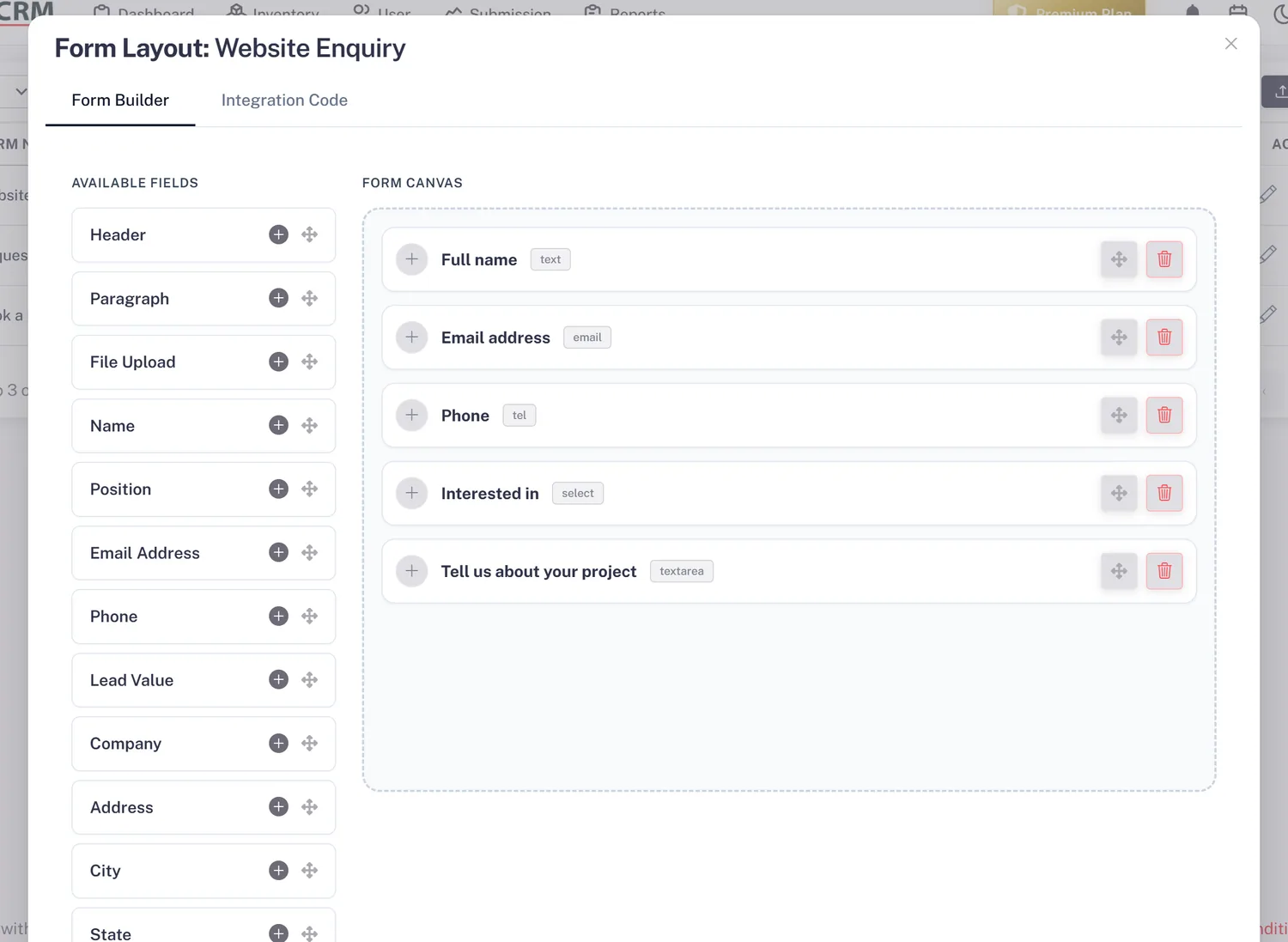
Pick fields from a ready-made palette, set the button text, colours and thank-you message, and preview the form before you publish. Build one form per page, campaign, product or project, so each lead arrives already labelled.
- Field palette, no coding
- Your colours and thank-you message
- One form per page or campaign
Embed
Embed the Form Anywhere
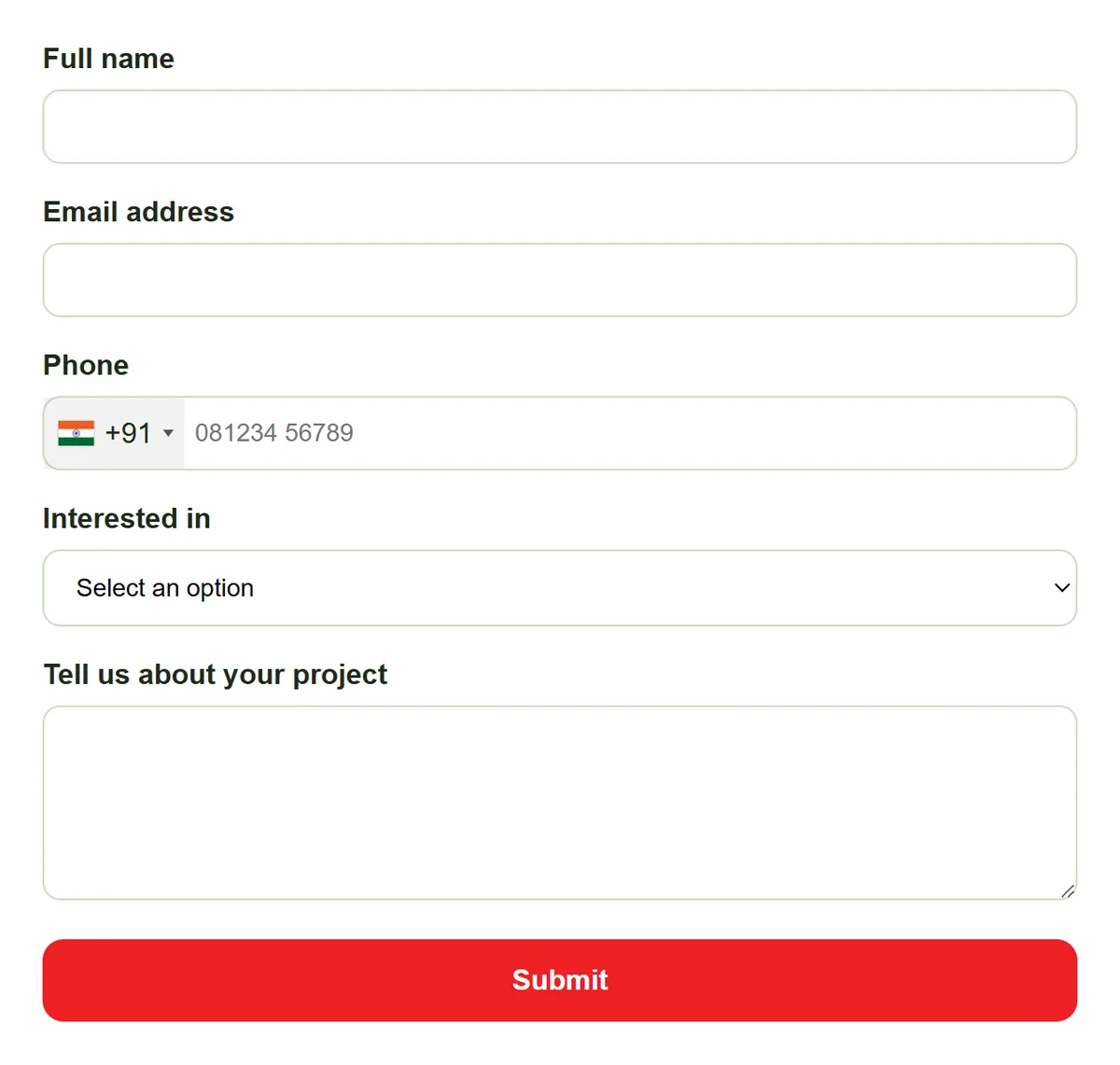
Paste one script tag into any page, add it through Google Tag Manager, or place it on a WordPress page. The form looks and behaves the same everywhere, and every submission reaches the same lead list.
- One script tag
- Google Tag Manager
- WordPress pages and posts
Source
Know Where Each Lead Came From
Every lead records the form and page it was submitted on. Leads tied to a product, project or service arrive already linked to it, so the right person can answer the exact question the buyer asked.
- Form and page URL on every lead
- Leads linked to products, projects or services
- Form Performance report (Advance and Premium plans)
Rahul Sharma
Example Technologies
Route
Send Captured Leads to an Owner
Turn on auto-assignment (Basic plan and above) and each new lead goes to a rep by round-robin, least busy, balanced, random or a fixed owner. With rules off, leads go to the company admin. Either way, the next step is one reminder away.
- Auto-assignment per submission type
- Admin fallback when rules are off
- Reminders on the next action (Basic and above)
Rahul Sharma
Example Technologies
Who It Is For
Who Uses AliveCRM to Capture Leads
Marketing teams
See which landing page or campaign form produced each lead, and stop sending sales a weekly spreadsheet export.
Small business owners
Put a contact form on your site and get every enquiry in one list, without hiring a developer to wire it up.
Real estate teams
Give each project its own enquiry form, so site visit requests arrive linked to the right project and its sales team.
Service businesses
Capture quote and booking requests against each service, then turn an accepted quote into an invoice from the same record.
Honest limits
What AliveCRM Does Not Capture
AliveCRM captures leads from its own forms, manual entry and CSV imports. It does not pull leads automatically from social media lead ads, ad network lead forms or property portals, and it has no Zapier connection. Leads from those sources can come in through a CSV import.
Start Capturing Leads Today
Create a free account, build a form and paste it on your site.
FAQ
Frequently Asked Questions
A form builder makes the form. Lead capture software also decides what happens to the submission. With a plain form tool, the enquiry ends up in an inbox. With AliveCRM, it becomes a lead with a source, an owner and a reminder, so someone acts on it.
No. You copy one script tag and paste it into your page, add it as a tag in Google Tag Manager, or place it on a WordPress page. If you can edit text on your website, you can add the form. A developer only helps if your site blocks custom scripts.
Yes. A form can be embedded on any site you control, and you can build separate forms for each site, page or campaign. Every lead records which form it came from, so you can filter and compare where your enquiries start.
The 7-day free trial runs on the Free plan, which includes one form and up to 25 leads per form. Paid plans raise the limits on forms, leads and users. Leads over a plan's limit are still saved but stay locked until you upgrade, so an enquiry is never thrown away.