Education
Education CRM for Admission Enquiries
Capture every admission enquiry by course, give it to a counsellor straight away, and make sure every student and parent gets a call back.
The short answer
What is an education CRM?
An education CRM manages admission enquiries from first contact to enrolment. It records which course each student asked about, assigns a counsellor, reminds them to call back and shows which courses and sources bring admissions. AliveCRM does this for schools, coaching institutes and training centres.
Admission season is short and busy. Students and parents enquire at several institutes, and the one that calls back first with clear answers usually wins the admission.
Where admission enquiries come from
- Course pages and admission forms on your website.
- Ad campaign landing pages during admission season.
- Walk-ins and calls to the front desk.
- Education fairs and school visits.
How It Works
From Enquiry to Admission
One counsellor owns each enquiry until a decision.
Capture
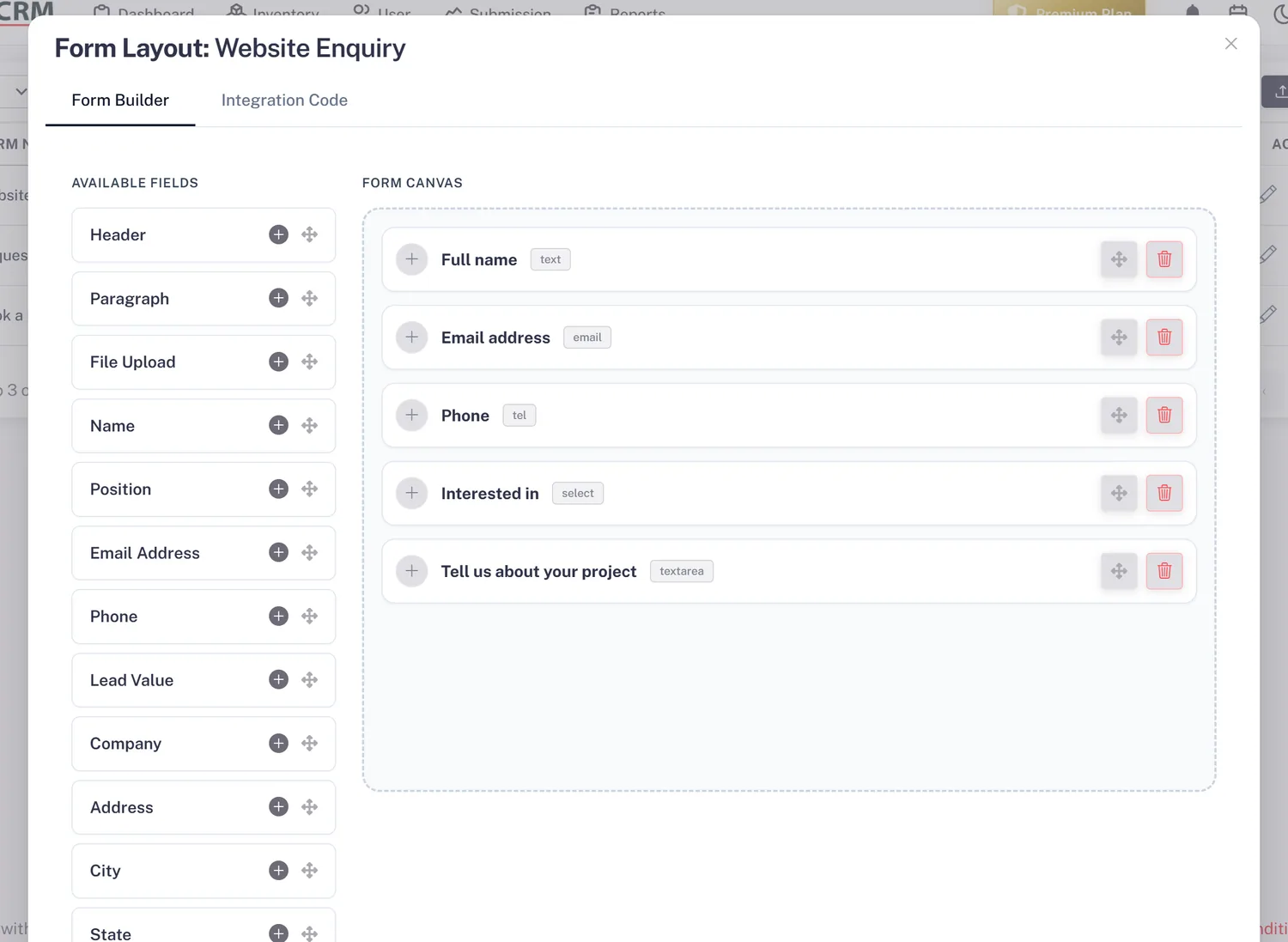
An Enquiry Form for Every Course
Add each course or programme as a service and give it its own enquiry form. Every lead arrives linked to the course and source. Walk-ins go in by hand, and lists from education fairs come in by CSV import.
- A form per course
- Course and source on every lead
- CSV import for fair lists
Counsellors
A Counsellor on Every Enquiry
With auto-assignment on the Basic plan and above, enquiries for each course are shared among its counsellors by round-robin or least busy. Use "self only" so each counsellor works their own list.
- Counsellor team per course
- Fair sharing in peak season
- "Self only" lists
Rahul Sharma
Example Technologies
Follow Up
Every Student Gets a Call Back
Set a reminder (Basic and above) after every call for the next conversation: sending the fee structure, booking a campus visit or checking a decision. Overdue reminders are counted on the dashboard so none slip in a busy week.
- Reminder after every call
- Overdue count on the dashboard
- Notes for the next counsellor
Rahul Sharma
Example Technologies
Report
Admissions by Course and Source
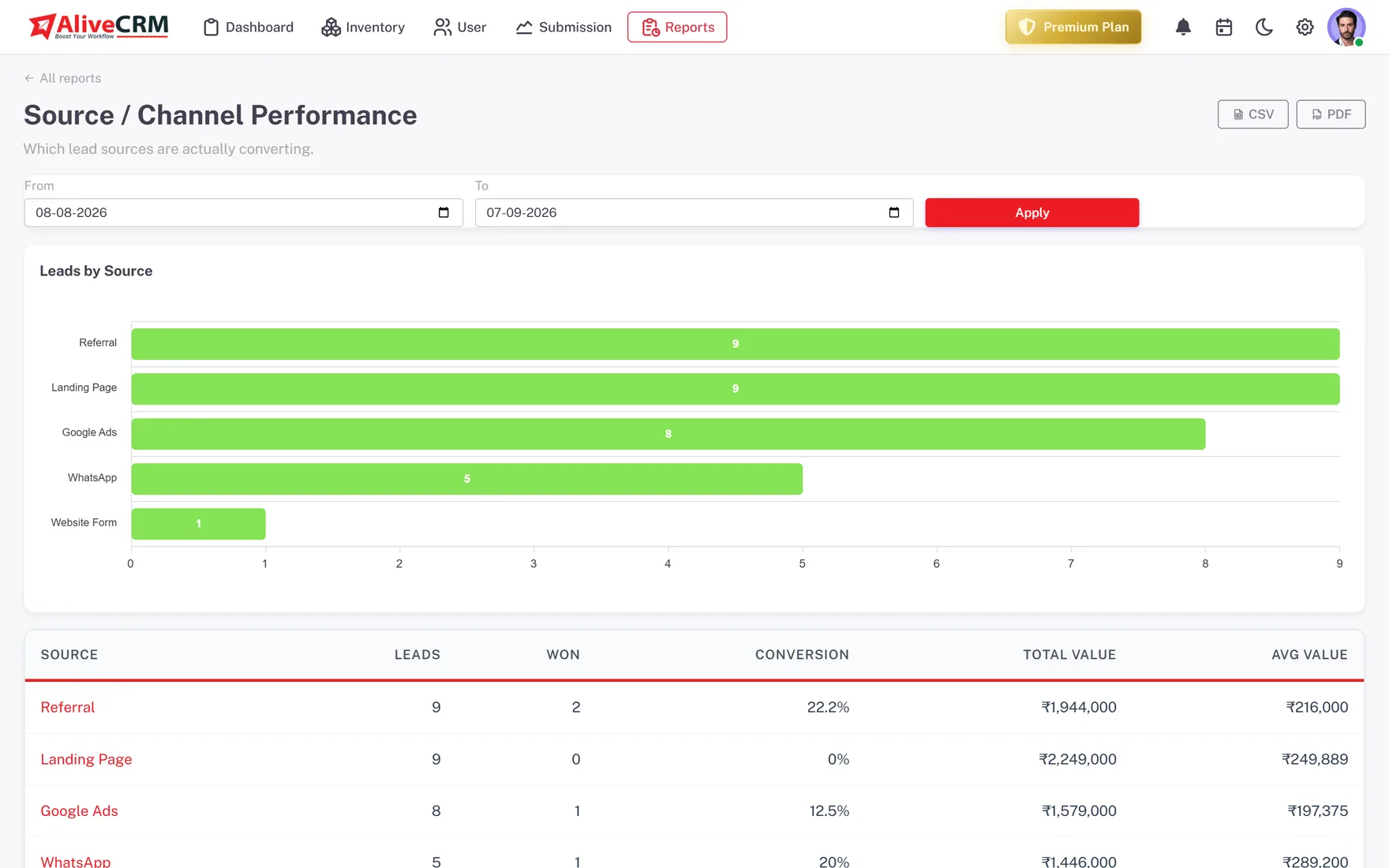
On Advance and Premium, Source Performance shows which campaigns and channels bring admissions, the Product Catalog report counts enquiries per course, and Follow-up Compliance shows which counsellors keep up.
- Admissions per source
- Enquiries per course
- Counsellor follow-up compliance
An example day
A Day in Admission Season
This is an illustration of how a coaching institute might use AliveCRM, not a customer story.
- 10:00 am. A parent submits the enquiry form for the weekend batch. The lead is linked to that course and goes to the next counsellor.
- 10:12 am. The counsellor calls from the lead, answers fee questions and notes that the student is also considering another institute.
- 10:15 am. The counsellor sets a reminder for Saturday to invite the family for a demo class.
- Saturday. The reminder fires, the family visits, and the status moves to Admission Confirmed on Monday.
- Month end. The director compares sources and sees which ad campaign brought admissions, not just enquiries.
Who It Is For
Education Teams That Use AliveCRM
Coaching institutes
Batch and course enquiries in admission season, shared fairly across counsellors and followed up until a decision.
Schools
Admission enquiries from parents, campus visit follow-ups and a clear picture of how many applications each grade receives.
Training and skills centres
Course enquiries from working adults who need a call at the right time and a clear answer on fees and schedule.
Study abroad consultants
Student enquiries by country or programme, with counsellor notes kept on the lead across many conversations.
Honest limits
What AliveCRM Does Not Do for Education
AliveCRM handles admission enquiries, not student administration. It has no fee collection, timetables, attendance, exam results or parent portal, and it does not send bulk SMS or email campaigns. Keep your school or learning management system for students once they enrol.
Make Sure Every Enquiry Gets a Call Back
Start a 7-day free trial and add your first course form.
FAQ
Frequently Asked Questions
Yes. Add each course or programme as a service and give it its own enquiry form. Every enquiry arrives linked to the course, so you can filter leads by course and, on the Advance and Premium plans, see enquiry counts per course in the Product Catalog report.
Yes. Turn on "self only" for the counsellor role and each counsellor sees only the enquiries assigned to them. The admissions head and admins still see everything, which helps when covering for a counsellor who is away during the busy season.
No. AliveCRM does not send bulk SMS or email campaigns. On the Advance and Premium plans it can send SMS reminders to your own team, and counsellors can call or open a WhatsApp chat with a student from the lead, one conversation at a time.
No. AliveCRM covers the admission funnel from enquiry to enrolment. It does not handle fees, attendance, timetables or results. Most institutes keep their school or learning management system for enrolled students and use AliveCRM for enquiries, right up to the day the student enrols.